

TL;DR:
- Remote workforce management relies on data, structured communication, and outcome-based metrics.
- Management quality influences performance five times more than geographic location.
- Using integrated platforms with clear policies enhances remote team productivity and trust.
Most HR leaders assume remote employees are either dramatically more productive or quietly slacking off. Neither extreme holds up under scrutiny. Mixed productivity results show self-reported gains of 13 to 77%, yet objective studies reveal 8 to 19% declines per hour in knowledge work. The real driver is not location. It is how well you manage. Remote workforce management is the practice of overseeing, coordinating, and optimizing distributed employees using digital tools, communication platforms, and outcome-based performance methods. This article breaks down what that actually looks like in practice, from the tools you need to the myths worth dropping.
Table of Contents
- What is remote workforce management?
- Essential tools and technologies for remote teams
- Productivity, benchmarks, and performance myths
- Overcoming remote management challenges
- Our take: Why results-driven remote management matters more than policies
- Supercharge your remote workforce management with the right platform
- Frequently asked questions
Key Takeaways
| Point | Details |
|---|---|
| Focus on outcomes | Remote workforce management works best with clear KPIs and trust-driven leadership. |
| Use the right tools | Digital platforms for communication, time tracking, and compliance are essential for distributed teams. |
| Productivity is nuanced | Hybrid approaches and skilled management often outperform all-remote or all-office models. |
| Solve common challenges | Address time zones, burnout, and global compliance proactively with proven solutions. |
What is remote workforce management?
At its core, remote workforce management is the practice of overseeing, coordinating, and optimizing employees working outside traditional office environments. It is not just about video calls and shared documents. It covers the full operational picture: how you track performance, maintain compliance, support team culture, and keep work moving across time zones and locations.
Think of it as traditional management rebuilt for a distributed world. Instead of walking the floor to check in, you rely on data, structured communication, and clear expectations. The goal shifts from monitoring presence to measuring outcomes.
Here are the must-have elements for any remote workforce management setup:
- Virtual communication tools for real-time and asynchronous collaboration
- Time tracking software that captures hours worked without micromanaging
- Outcome-based KPIs that define success by results, not hours logged
- Compliance tools that handle employment law across different regions
- Workforce management platforms like Zeppri that unify scheduling, attendance, and reporting in one place
- Performance dashboards that give managers visibility without surveillance
Remote workforce management is not a single tool or policy. It is a system of interconnected practices that replace physical proximity with intentional structure, data, and trust.
The scope matters here. Remote management applies whether your team is fully distributed across countries, working from home in the same city, or operating on a hybrid schedule. Each scenario introduces different challenges around communication lag, compliance risk, and team cohesion. Getting the foundations right early saves significant operational headaches as your workforce scales.
Organizations that treat remote management as a temporary workaround tend to struggle. Those that build it as a core operational model tend to outperform. The difference usually comes down to whether leadership has invested in the right structure and tools rather than hoping informal habits will fill the gaps.
Essential tools and technologies for remote teams
The technology stack behind remote workforce management has matured quickly. You no longer need to stitch together a dozen disconnected apps. But you do need to be deliberate about what you choose and why.
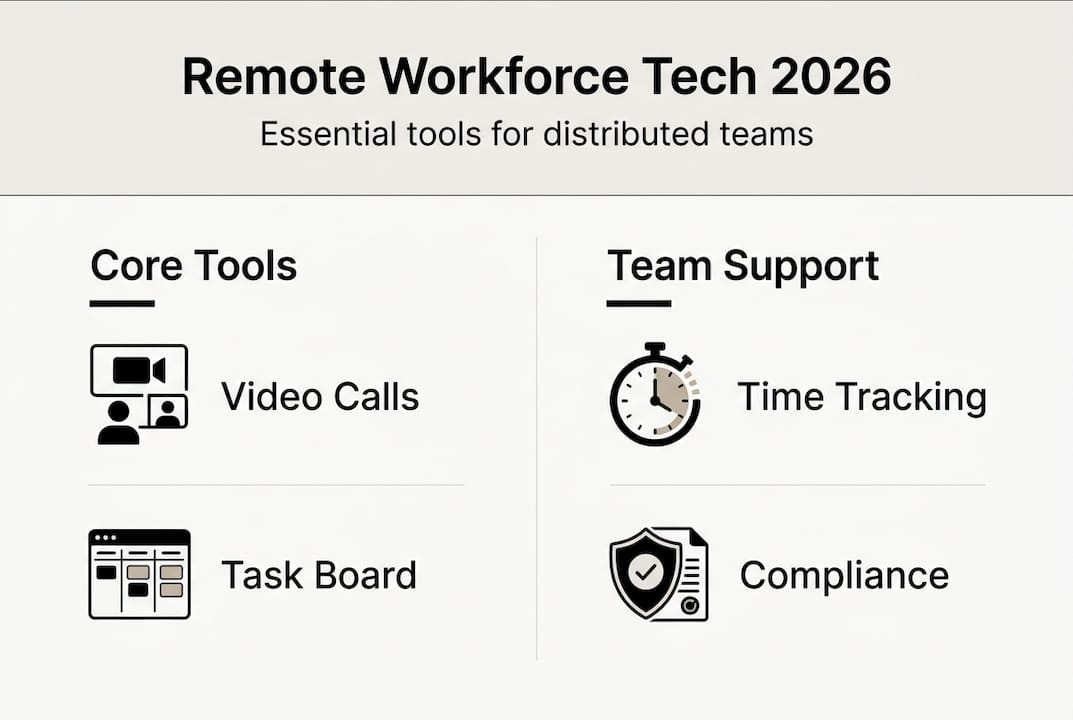
Key mechanics include virtual communication, asynchronous workflows, outcome-based KPIs, time tracking software, and global compliance tools like EOR for hiring across borders. Each category serves a distinct function.
Here is a quick comparison of common tools by function:
| Function | Option A | Option B | Best for |
|---|---|---|---|
| Team communication | Slack | Microsoft Teams | Real-time messaging and file sharing |
| Task management | Asana | Trello | Project tracking and workflow visibility |
| Time tracking | Automated platforms | Manual timesheets | Accuracy and payroll compliance |
| Scheduling | Zeppri | Spreadsheets | Shift planning and attendance management |
| Video meetings | Zoom | Google Meet | Synchronous team check-ins |
Knowing when to use synchronous versus asynchronous tools is just as important as which tools you pick. Synchronous tools like video calls work well for decisions, brainstorming, and relationship building. Asynchronous tools like project boards and recorded updates work better for deep work, cross-time-zone teams, and reducing meeting fatigue.
Here is a practical sequence for setting up a basic remote toolkit:
- Start with a communication platform and establish clear response time expectations
- Add a task or project management tool with defined ownership for every deliverable
- Implement automated time tracking to capture hours accurately without manual input
- Set up a scheduling and attendance platform that gives managers real-time visibility
- Layer in compliance tools based on where your employees are located
- Review mobile app features that allow managers to act on data from anywhere
Pro Tip: Choose monitoring solutions that track outcomes, not keystrokes. Tools that count mouse clicks or take random screenshots damage trust and rarely correlate with actual performance. Focus on whether work gets done well and on time.

Productivity, benchmarks, and performance myths
The productivity debate around remote work is one of the most misread conversations in HR. Here is what the data actually shows.
| Study type | Productivity finding |
|---|---|
| Self-reported surveys | 13 to 77% productivity gains |
| Objective knowledge work studies | 8 to 19% declines per hour |
| Call center and structured roles | Measurable output gains |
| Hybrid models | Often match or exceed office productivity |
Empirical benchmarks show mixed productivity results: self-reported gains of 13 to 77% in remote work, but objective studies indicate 8 to 19% declines per hour in knowledge work. That gap between perception and reality is where most HR strategies go wrong.
The biggest myth is that remote workers are universally more productive just because they skip the commute and avoid office distractions. In reality, productivity depends heavily on role type, management quality, and how clearly expectations are set. A software developer with clear deliverables and strong async habits may thrive. A junior analyst without structured feedback and collaboration time may drift.
What actually boosts remote productivity:
- Clear, written expectations with measurable outcomes
- Regular one-on-one check-ins focused on blockers, not status updates
- Centralized schedule management that reduces confusion around shifts and availability
- Autonomy paired with accountability, not surveillance
- Strong onboarding that replicates the informal learning of office environments
What hurts remote productivity:
- Unclear goals and shifting priorities
- Over-reliance on synchronous meetings that fragment deep work time
- Compliance gaps that create legal and payroll stress for employees
- Lack of workforce compliance strategies when managing across jurisdictions
Management quality explains 5x more variance in performance than location. That single finding should reshape how you think about remote work ROI. Investing in manager training and clear performance frameworks will move the needle far more than mandating office days.
Overcoming remote management challenges
Even well-structured remote teams run into friction. The challenges are real, but most are solvable with the right combination of tools, policies, and leadership habits.
Common remote work challenges include time zone friction, isolation, burnout, compliance risks, tenure effects, and output variations tied to monitoring. Here is how to address each one practically.
- Time zone friction: Use asynchronous-first communication norms. Document decisions in writing. Set overlapping core hours rather than requiring everyone online simultaneously.
- Isolation and loneliness: Schedule optional social touchpoints. Create non-work channels for casual conversation. Recognize contributions publicly and consistently.
- Burnout: Establish clear boundaries around work hours. Encourage employees to use mobile apps that make time-off requests simple and visible.
- Compliance risks: Audit employment classifications regularly. Use employer-of-record services for international hires. Keep local labor law updates on your HR calendar.
- Output inconsistency: Standardize performance metrics by role. Run regular retrospectives to identify what is working and what is not.
Pro Tip: Pair new remote hires with experienced team members for their first 60 days. Transparent mentorship accelerates ramp-up time and reduces the isolation that often tanks early tenure productivity. Structure the pairing with a simple weekly check-in agenda so it does not become another meeting without purpose.
One of the most counterproductive responses to remote management challenges is increasing surveillance. Monitoring software that tracks every click or screenshot tends to signal distrust, which in turn reduces engagement and increases turnover. The better path is building clear accountability systems where employees know what success looks like and have the tools to achieve it.
For teams managing shift scheduling across multiple locations or time zones, a centralized platform that handles availability, shift swaps, and real-time updates removes a significant source of daily friction for both managers and employees.
Our take: Why results-driven remote management matters more than policies
Here is something most remote work guides will not tell you: the policy document is not the problem, and it is not the solution either. Organizations spend enormous energy crafting remote work policies, only to see the same performance gaps persist. The real variable is almost always management quality.
Management quality explains 5x more variance in performance than location. That is not a small edge. That is the whole game. Yet most organizations respond to remote productivity concerns by adding more rules, more monitoring, or more mandatory in-office days. None of those address the root cause.
What actually works is redefining what success looks like at the individual level. When a manager can clearly articulate what a great week looks like for each team member, and when employees have a time tracking system that supports rather than surveils them, performance follows. Trust is not a soft concept. It is an operational variable with measurable impact on retention, output, and team stability.
Stop measuring activity. Start measuring impact.
Supercharge your remote workforce management with the right platform
The strategies in this article only work when you have the infrastructure to support them. Fragmented tools, manual timesheets, and disconnected scheduling systems create the exact gaps that undermine remote team performance.

Zeppri brings scheduling, time tracking, attendance, and compliance reporting into one platform built for the way modern teams actually work. Whether your team is fully remote, hybrid, or distributed across time zones, Zeppri gives managers real-time visibility and employees the self-service tools they need. Features like mobile clock-in and geofencing make location-based accountability simple without the surveillance overhead. Explore how Zeppri can close the gaps in your current remote management setup.
Frequently asked questions
What are the essential features of remote workforce management platforms?
Key features include digital communication tools, task and time tracking, compliance management, and outcome-based performance monitoring. Platforms that unify these functions reduce administrative overhead and improve manager visibility.
Does remote work really improve productivity?
Research shows mixed results: some workers report gains up to 77%, but objective studies note 8 to 19% declines for knowledge work. Hybrid models often match or outperform full office productivity when managed well.
How can HR manage compliance for a remote workforce across borders?
Using global compliance tools like employer-of-record services and staying current on local employment law is essential for mitigating risk in cross-border remote hiring.
What is the biggest challenge in managing a remote workforce?
Time zone friction, isolation, and compliance are the top concerns, but robust tools and clear workflow policies can significantly reduce these risks for distributed teams.
How important is management style versus location in remote work success?
Management quality has up to five times more impact on performance than location alone, making leadership development the highest-leverage investment for remote team success.