

TL;DR:
- Mobile workforce apps are essential for scheduling, compliance, and employee engagement.
- They reduce administrative tasks, increase transparency, and improve retention outcomes.
- However, transparency and proper rollout are crucial to avoid privacy and trust issues.
Most HR leaders still think of mobile workforce apps as a convenience for field workers or a perk to mention during recruiting. That assumption is costing organizations real money. Mobile apps now sit at the center of scheduling, compliance, and employee retention strategies across retail, healthcare, hospitality, and manufacturing. Engagement rises measurably when staff can swap shifts, request time off, and check pay stubs from their phones, with documented reductions in turnover even in high-attrition sectors. This guide breaks down the evidence, the core features, the real risks, and where the technology is heading so you can make smarter decisions for your workforce.
Table of Contents
- Why mobile apps are now critical for workforce management
- Core functions of mobile workforce management apps
- Impact on employee engagement, satisfaction, and retention
- Expert insights: Risks, emerging trends, and the future of mobile workforce management
- Our take: What most HR leaders miss about mobile workforce management
- Transform your workforce management with Zeppri
- Frequently asked questions
Key Takeaways
| Point | Details |
|---|---|
| Mobile apps are essential | They now drive core workforce functions, not just convenience or field work. |
| Engagement and retention boost | Self-service and transparency cut turnover and raise satisfaction measurably. |
| Compliance and AI lead the way | Modern solutions deliver labor law compliance and harness AI for smarter scheduling. |
| Trust and privacy matter | Maximize value by pairing technology with transparent, trust-building practices. |
| Future: AI and gig integration | Expect agentic AI, 5G, and gig work support to shape the next generation of workforce apps. |
Why mobile apps are now critical for workforce management
The shift from paper schedules and email chains to mobile-first workforce management is not a trend. It is a structural change in how work gets done. Organizations that still rely on manual scheduling or desktop-only systems are operating with one hand tied behind their back, especially when their workforce is distributed, shift-based, or seasonal.
The numbers back this up. Helzberg Diamonds cut scheduling time by 66% after adopting a mobile workforce app, and the platform earned a 4.9-plus app store rating, a signal that employees actually used and valued the tool. That kind of adoption rate matters because a workforce app only delivers ROI if people open it.
"A 66% reduction in scheduling time is not an incremental improvement. It is a fundamental shift in how managers spend their workday."
For HR leaders, the business case is straightforward. Mobile apps reduce the administrative burden on managers, give employees more control over their own schedules, and create a digital audit trail that supports compliance. Here is what that looks like in practice:
- Instant schedule access: Employees see their shifts the moment they are published, reducing no-shows and last-minute confusion
- Self-service shift swaps: Staff resolve coverage gaps without manager intervention, freeing up hours each week
- Real-time PTO requests and approvals: Automated workflows replace email threads and sticky notes
- Mobile pay stub access: Employees check earnings and deductions without contacting HR
- Push notifications: Managers broadcast urgent updates to the entire team in seconds
- Geofenced clock-ins: Location-verified time entries reduce buddy punching and payroll errors
Exploring the key mobile app features that drive these outcomes helps HR teams prioritize what to look for when evaluating platforms. The bottom line is that mobile apps are no longer a nice addition to your HR tech stack. They are the foundation.
Core functions of mobile workforce management apps
Knowing that mobile apps matter is one thing. Knowing exactly what to look for is another. Expert analyses from Nucleus, ISG, and Forrester consistently highlight mobile-first user experience, compliance support, and AI-powered scheduling as the defining capabilities of leading workforce management platforms in 2026.
Here is how mobile-first compares to traditional workforce management:
| Feature | Traditional approach | Mobile-first approach |
|---|---|---|
| Schedule distribution | Email or printed sheet | Instant push notification |
| Time tracking | Physical punch clock | GPS-verified mobile clock-in |
| Shift swaps | Manager phone call | In-app request and approval |
| PTO requests | Paper form or email | Automated in-app workflow |
| Compliance alerts | Manual manager review | Automated rule-based notifications |
| Payroll data access | HR office visit | On-demand mobile access |
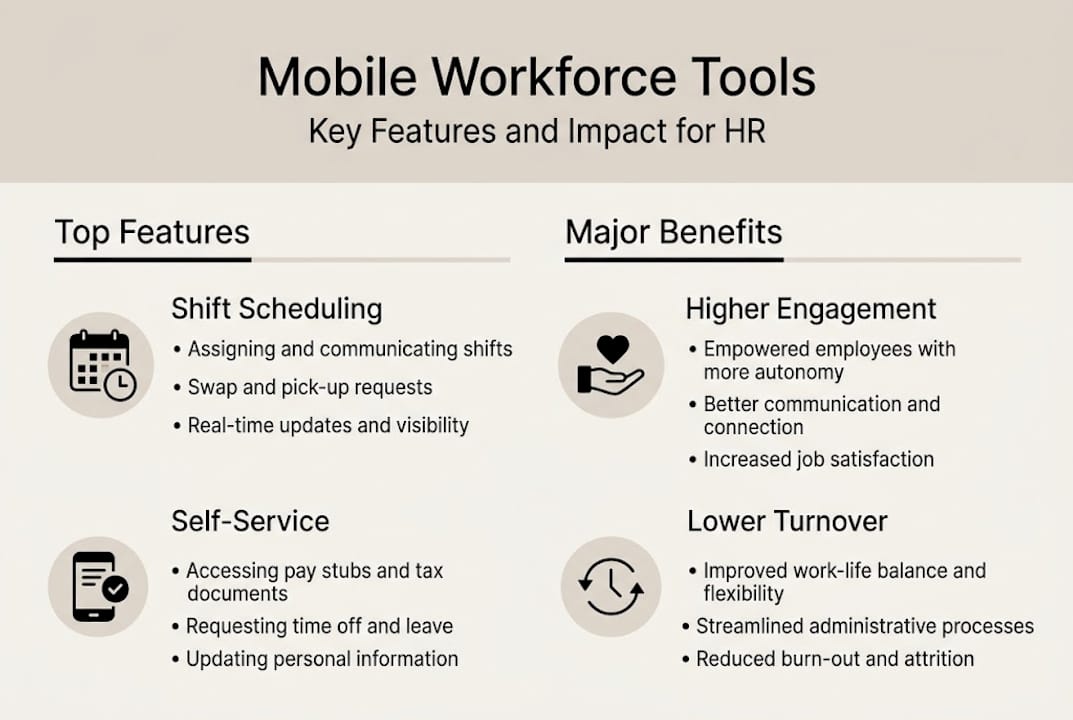
The core functions HR leaders should prioritize in any mobile workforce platform include:
- Scheduling and shift planning with drag-and-drop tools and multiple calendar views
- Mobile time tracking with clock-in verification tied to location or biometric data
- Team communication via in-app messaging and broadcast notifications
- Shift management including open shift posting, swaps, and coverage alerts
- Pay and earnings access so employees can review hours and pay stubs anytime
- Compliance notifications that flag overtime risks, break violations, or certification expirations
Generative AI assistants are also entering this space, helping managers predict staffing needs based on historical data and flagging scheduling conflicts before they happen. Understanding mobile clock-in for compliance is especially important for organizations in regulated industries where accurate timekeeping is a legal requirement, not just a preference.
Pro Tip: Most managers focus entirely on manager-facing features during app evaluation. Spend equal time testing the employee-facing interface. If staff find it confusing or slow, adoption will stall and your investment will underperform.
Deskless workers benefit most visibly from mobile tools, but desk-based staff gain too. Automated workflows and self-service access reduce the volume of routine HR requests, giving your HR team more time for strategic work.
Impact on employee engagement, satisfaction, and retention
Features only matter if they move the needle on outcomes that HR leaders actually report on. The evidence connecting mobile workforce apps to engagement and retention is growing and specific.
Self-service tools, real-time access, and instant feedback directly raise employee engagement and reduce turnover, particularly in sectors with historically high attrition like retail and hospitality. The mechanism is straightforward: when employees feel informed and in control, they are more likely to stay.
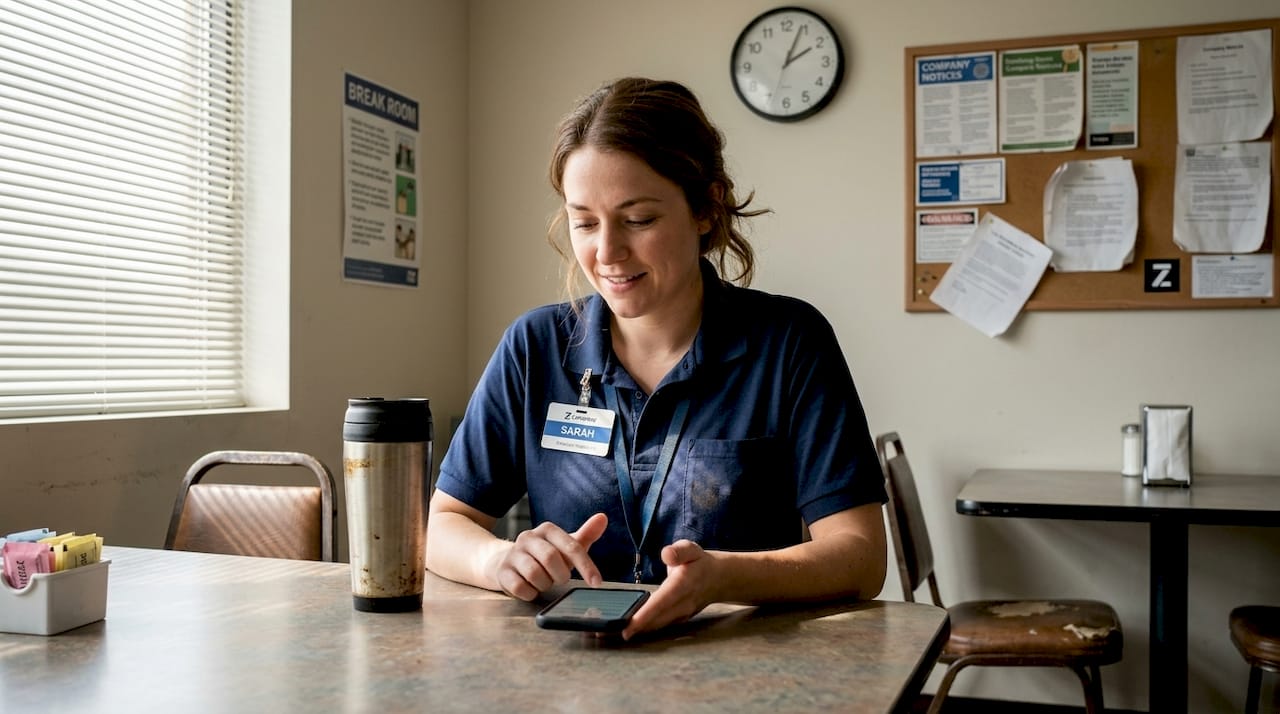
Here is how specific app features map to measurable workforce outcomes:
| App feature | Workforce outcome |
|---|---|
| Self-service shift swaps | Higher schedule satisfaction, fewer call-outs |
| Real-time schedule access | Reduced no-shows and late arrivals |
| Mobile PTO requests | Faster approvals, lower frustration |
| Instant manager feedback | Stronger team connection and performance |
| Pay stub access | Fewer payroll-related HR inquiries |
| Geofenced clock-in | Accurate payroll, reduced wage disputes |
The engagement drivers that mobile apps activate include:
- Autonomy: Employees manage their own schedules within set parameters, which builds ownership
- Transparency: Visible shift assignments and pay data reduce the rumor mill and perceived unfairness
- Speed: Fast approvals and instant notifications signal that the organization respects employees' time
- Recognition: In-app feedback tools let managers acknowledge good work in real time
Connecting efficiency and staff well-being is not a soft HR goal. It is a measurable business outcome. Organizations that reduce turnover by even a few percentage points save tens of thousands of dollars annually in recruiting and training costs. Mobile apps are one of the most direct levers available to HR leaders trying to move those numbers.
Expert insights: Risks, emerging trends, and the future of mobile workforce management
Mobile workforce apps are not a risk-free investment. The same capabilities that make them powerful, location tracking, real-time monitoring, and behavioral data collection, can erode trust if deployed without transparency.
Experts warn that privacy backlash is a real and underappreciated risk when tracking features are introduced without clear communication about what is collected, why, and who sees it. High tech plus low trust is a formula for resentment, not efficiency.
"The organizations that get the most from workforce apps are the ones that treat transparency as a feature, not an afterthought."
Key risks HR leaders should anticipate and actively manage:
- Surveillance perception: Employees who feel monitored rather than supported disengage quickly
- Data security gaps: Mobile devices are endpoints; weak security policies create compliance exposure
- Uneven adoption: If some teams use the app and others do not, you create two-speed operations and fairness complaints
- Over-automation: Removing all human judgment from scheduling can damage morale and miss context that algorithms miss
- Vendor lock-in: Proprietary data formats make it hard to switch platforms as your needs evolve
On the opportunity side, the mobile workforce management market is projected to exceed $22 billion by 2031, driven by agentic AI scheduling, 5G-enabled real-time video collaboration, and deeper integration for gig and hybrid workforces. These are not distant possibilities. Early adopters are piloting them now.
For efficient shift scheduling at scale, AI-assisted tools will soon handle demand forecasting, compliance checking, and preference matching simultaneously, reducing manager workload while improving fairness.
Pro Tip: Future-proof your mobile strategy by choosing platforms with open APIs and documented data export options. Flexibility matters more than any single feature when the technology landscape shifts this fast.
Our take: What most HR leaders miss about mobile workforce management
Here is the uncomfortable truth we see repeatedly: organizations invest heavily in mobile workforce technology and then wonder why adoption is low and managers are frustrated. The technology is rarely the problem. The rollout strategy is.
Most implementations focus almost entirely on features and go-live dates. What gets skipped is the trust infrastructure. Employees need to understand what the app tracks, how that data is used, and what control they retain. Managers need to be involved in configuration decisions, not just trained on the final product. When those steps are skipped, even the best platform feels like surveillance software.
The counterintuitive insight is this: the softer work, communication, inclusion, and transparent policy design, determines whether your mobile investment pays off. Centralized schedule management works best when the people using it helped shape the rules. Start your next rollout by asking your frontline managers what problems they actually need solved, and build your communication plan before you configure a single setting.
Transform your workforce management with Zeppri
The evidence is clear: mobile workforce apps drive real gains in scheduling efficiency, employee engagement, and compliance accuracy. But the platform you choose matters as much as the decision to go mobile.

Zeppri workforce management brings together real-time mobile clock-ins, geofenced attendance, automated time-off workflows, and intuitive shift scheduling in one platform built for organizations of any size. Whether you manage a 20-person retail team or a 2,000-person distributed workforce, Zeppri gives managers the visibility they need and employees the self-service tools they want. See how Zeppri can simplify your operations and start delivering the outcomes this guide describes.
Frequently asked questions
How do mobile apps increase employee engagement?
Mobile apps boost engagement by giving staff direct access to schedules, pay info, and instant feedback, plus self-service tools for flexibility. Engagement rises measurably through real-time access and self-service capabilities that give employees a sense of control.
Can mobile workforce apps help with labor law compliance?
Yes, mobile workforce apps streamline compliance with regulations like the FLSA through accurate mobile clock-in, automated overtime alerts, and digital documentation. Expert analyses highlight compliance improvements as a top benefit of mobile-first workforce platforms.
What emerging trends should HR look for in workforce apps?
Expect more AI-powered scheduling, real-time 5G collaboration tools, and integration for gig and hybrid teams in the next few years. The market is projected to exceed $22B by 2031, with agentic AI and video tools leading the way.
Do mobile apps pose privacy risks in workforce management?
Yes, over-reliance and poor transparency around tracking features can trigger employee backlash and trust erosion. Privacy risks are real when organizations fail to communicate clearly about what data is collected and how it is used.
Recommended
- Top mobile app features every manager needs for efficiency
- Why use mobile clock-in? Boost accuracy & accountability
- Workforce management: Boost efficiency & well-being in hospitality
- Why centralize schedule management for greater efficiency
- What is mobile workforce management: a complete guide
- Construction Mobile Apps: Reduce Material Waste by 25% | BRCKS