

TL;DR:
- Mobile clock-in enhances accuracy, prevents fraud, and offers real-time workforce visibility.
- Compliance relies on secure biometric data handling, informed consent, and ongoing policy updates.
- Successful implementation depends on clear communication, proper training, and testing offline functionality.
Paper timesheets and wall-mounted punch clocks feel reliable until you run payroll and discover 40 hours of unverifiable overtime. Manual systems create a perfect environment for buddy punching (when one employee clocks in for another), rounding errors, and audit gaps that expose your business to serious legal risk. For operations managers juggling shift coverage, compliance deadlines, and employee disputes, these small cracks add up fast. Mobile clock-in closes those gaps by turning every employee's smartphone into a verified, location-aware time clock. This article walks you through how it works, what it delivers, and how to roll it out without the headaches.
Table of Contents
- What is mobile clock-in and how does it work?
- Key benefits of mobile clock-in for workforce management
- Addressing privacy, security, and regulatory compliance
- Implementing mobile clock-in: Best practices and common pitfalls
- Our perspective: What most managers overlook about mobile clock-in
- Take the next step with modern mobile clock-in
- Frequently asked questions
Key Takeaways
| Point | Details |
|---|---|
| Accuracy and accountability | Mobile clock-in reduces errors and deters time theft using location and biometric checks. |
| Privacy and compliance | Consent policies and hashed biometrics support legal requirements like BIPA and FLSA. |
| Field-ready reliability | Offline mode ensures clock-in works at remote and construction sites without internet. |
| Easy implementation | Follow best practices for rollout and employee training to maximize benefits. |
What is mobile clock-in and how does it work?
Mobile clock-in is the practice of using a smartphone or tablet app to record when employees start and end their shifts. Instead of a physical punch card or a shared terminal in the break room, each worker uses their own device to log time. The system captures that event with a timestamp and, depending on the platform, layers in additional verification to confirm the right person clocked in from the right place.
Three core technologies make this possible. GPS verification confirms an employee's location at the moment they clock in, which is critical for field teams, delivery drivers, or anyone working off-site. Biometric authentication uses fingerprint or facial recognition to verify identity, eliminating the buddy punching problem entirely. App-based authentication, the simplest layer, requires a secure login tied to an individual account. Mobile GPS biometric time clocks policy confirms that mobile time-tracking solutions often include GPS verification, biometric authentication, and policy compliance features working together.
Most modern platforms built for modern workforce management also include a set of supporting features that make the system genuinely useful in real-world conditions:
- Offline mode: Captures clock-in data without an internet connection and syncs when connectivity returns
- Geofencing: Creates a virtual boundary around a job site so employees can only clock in when physically present
- Real-time dashboards: Gives managers an instant view of who is on shift, who is late, and who has not clocked out
- Audit trails: Logs every clock-in event with a timestamp, location, and device ID for compliance purposes
- Privacy controls: Limits what location data is stored and for how long, keeping the system within legal boundaries
The difference between mobile clock-in and a traditional system is not just convenience. It is the quality and verifiability of the data you collect. A paper timesheet tells you what an employee wrote down. A mobile clock-in system tells you what actually happened.
Key benefits of mobile clock-in for workforce management
Once you understand the mechanics, the business case becomes straightforward. Here is where mobile clock-in delivers measurable results for operations managers.
Accuracy improves immediately. Manual entry invites errors, intentional or not. When employees round up to the nearest quarter hour or forget to log a break, those small inaccuracies compound across a 50-person team over 52 weeks. GPS validation and automated timestamps remove the guesswork entirely.
Time theft drops sharply. Buddy punching costs U.S. businesses billions annually. Biometric verification makes it nearly impossible because the system requires the actual employee to authenticate, not just someone who knows their PIN.
Compliance becomes documentable. Every clock-in event creates a record. When a labor board auditor or an attorney asks for time records, you can produce a clean, timestamped export in minutes rather than hunting through filing cabinets.
Real-time visibility changes how you manage. Instead of waiting until the end of the week to discover a scheduling gap, you see it the moment it happens. That speed lets you reassign staff, call in coverage, or adjust before a shift falls apart.
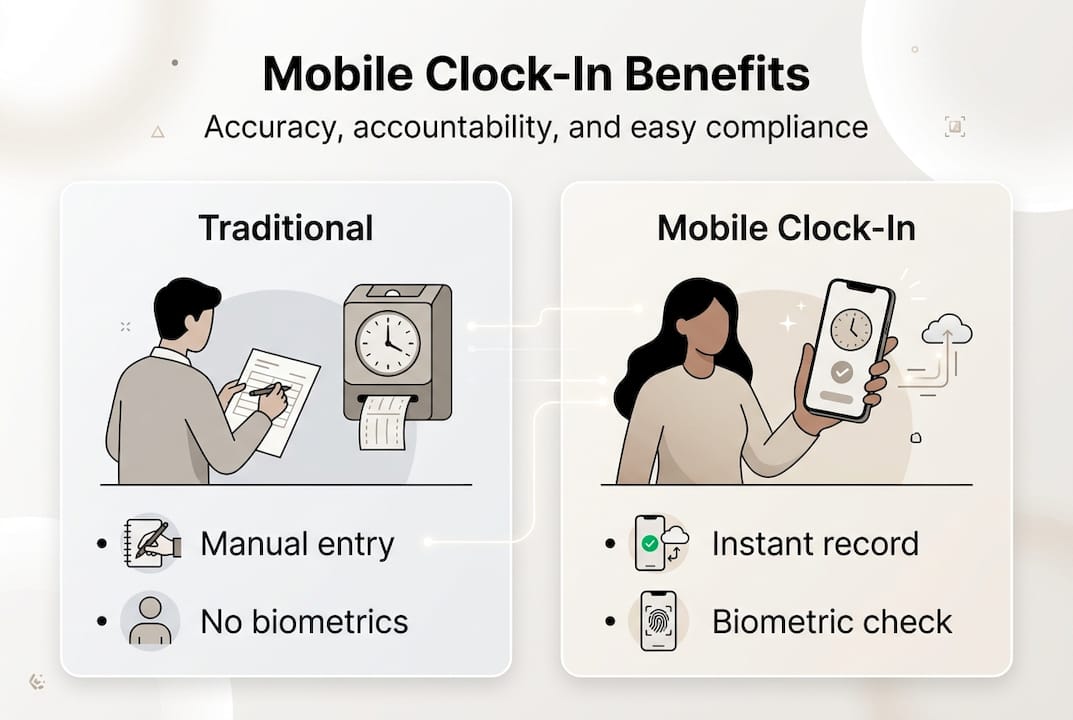
| Benefit | Traditional system | Mobile clock-in |
|---|---|---|
| Accuracy | Prone to rounding errors | Automated timestamps |
| Fraud prevention | Vulnerable to buddy punching | Biometric verification |
| Compliance records | Paper-based, hard to retrieve | Digital audit trail |
| Manager visibility | End-of-week reporting | Real-time dashboard |
| Remote site support | Not practical | Offline mode available |
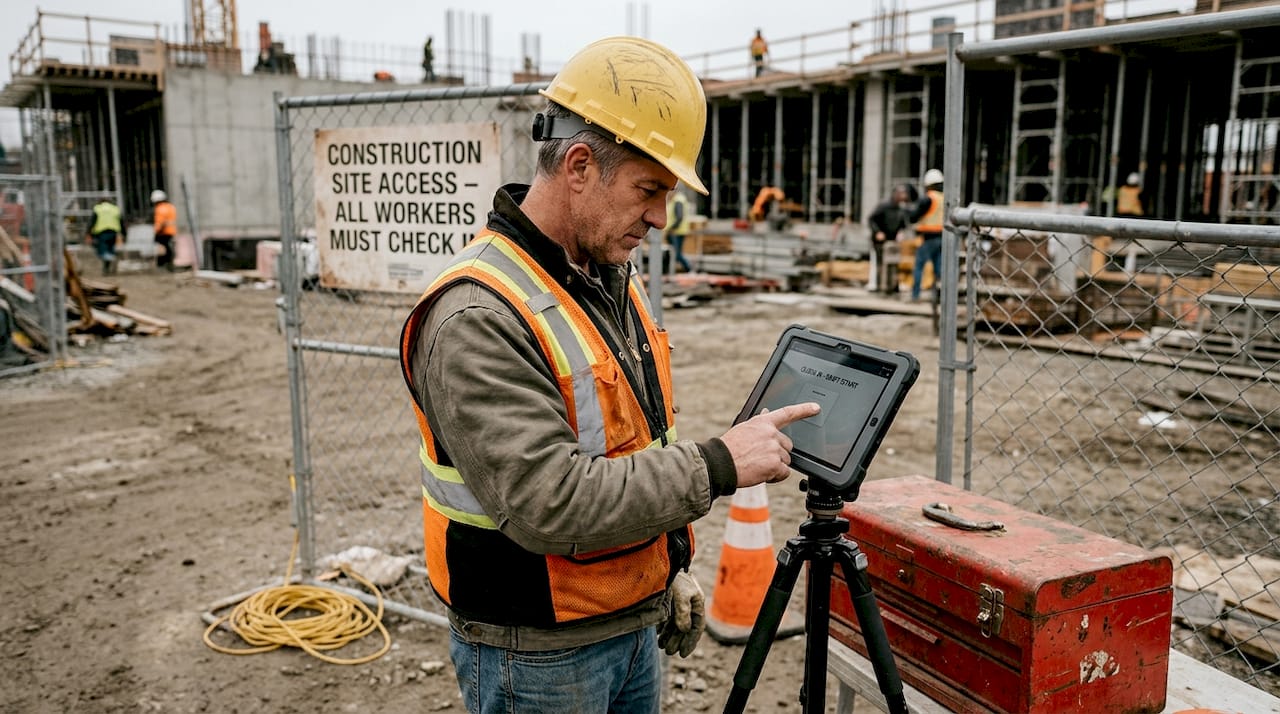
For teams working on construction sites or in areas with poor connectivity, offline mode is essential for remote sites, and hashed biometrics protect privacy without storing raw images. That combination means your remote crew can clock in reliably without compromising anyone's personal data.
Pro Tip: Before selecting a platform, ask vendors specifically whether their offline mode syncs automatically or requires manual action from the employee. Automatic sync reduces errors and removes one more task from your team's plate.
The benefits that matter most to your workforce time tracking operation will depend on your industry. Retail managers tend to prioritize fraud prevention. Construction supervisors need offline reliability. Healthcare administrators focus on compliance records. The good news is that a well-built mobile clock-in platform addresses all three.
Addressing privacy, security, and regulatory compliance
This is where many managers hesitate, and understandably so. Collecting biometric data from employees is not a casual decision. Two federal laws in particular shape what you can and cannot do: BIPA (the Biometric Information Privacy Act) and FLSA (the Fair Labor Standards Act).
BIPA governs how businesses collect, store, and use biometric identifiers like fingerprints and facial geometry. It requires written consent before collection, a published retention policy, and strict limits on sharing that data. FLSA governs wage and hour compliance, including accurate recordkeeping of hours worked. BIPA and FLSA compliance requires consent policies and privacy-oriented technology like hashed, not raw, biometrics.
The distinction between hashed and raw biometrics matters enormously. A raw biometric is the actual fingerprint image or facial scan, which can theoretically be reconstructed or stolen. A hashed biometric converts that data into a numerical string that cannot be reversed. If your vendor stores hashed values, a data breach does not expose anyone's fingerprint. If they store raw images, it does.
"BIPA/FLSA compliance needs consent policies and privacy-oriented tech like hashed, not raw, biometrics." This is not a nice-to-have. It is the legal baseline for any organization collecting employee biometric data.
| Feature | Traditional time clock | Mobile clock-in |
|---|---|---|
| Biometric storage | Raw images or none | Hashed values only |
| Consent documentation | Rarely captured | Built into onboarding |
| Audit trail | Manual logs | Automated digital records |
| Location verification | None | GPS and geofencing |
| Data retention policy | Inconsistent | Configurable by admin |
Pro Tip: When evaluating vendors, ask for their data processing agreement and confirm whether biometric data is stored on-device or in the cloud. On-device storage reduces exposure significantly.
Vendor selection is where compliance either gets built in or bolted on. Built-in means the platform was designed from the start with consent workflows, data minimization, and audit logging. Bolted-on means those features were added later and may have gaps. Ask vendors for documentation of their compliance architecture, not just a checkbox on a feature list.
Implementing mobile clock-in: Best practices and common pitfalls
Knowing the benefits and compliance requirements is one thing. Getting your team to actually use the system correctly is another. Here is a practical roadmap.
- Select a compliant platform. Confirm offline mode reliability, biometric storage method, and consent workflow before signing anything. Offline mode should be verified for construction and remote teams, and clear consent policies must be established per BIPA.
- Run a pilot with one team or location. Choose a group that is tech-comfortable and willing to give honest feedback. A two-week pilot surfaces issues before they become company-wide problems.
- Train managers first. If supervisors do not understand the dashboard, they cannot support their teams. Manager training should happen before employee rollout, not simultaneously.
- Communicate clearly with employees. Explain what data is collected, why, and how it is protected. Employees who feel informed are far more likely to adopt the system without resistance.
- Establish a feedback channel. Create a simple way for employees to report technical issues during the first 30 days. Unresolved friction kills adoption faster than any other factor.
- Audit the system at 30 and 90 days. Check for missed clock-ins, offline sync failures, and any consent documentation gaps. Compliance is not a one-time setup.
The most common pitfalls are predictable. Lax consent processes create legal exposure before the system even goes live. Poor employee communication turns a useful tool into a surveillance concern in the minds of your workforce. Assuming offline mode works without testing it leads to missing records at your most critical job sites.
Pro Tip: Build your consent collection into the app onboarding flow itself. When employees complete setup, they acknowledge the policy in the same session. This creates a timestamped record of consent that satisfies BIPA requirements without extra paperwork.
Using modern workforce tools that integrate scheduling, time tracking, and compliance in one place reduces the number of systems your team has to manage and the number of places where data can fall through the cracks.
Our perspective: What most managers overlook about mobile clock-in
Most implementation guides focus on features and compliance checklists. What they rarely address is the human layer, and that is usually where rollouts succeed or stall.
Managers spend weeks evaluating GPS accuracy and biometric storage methods, then spend zero time thinking about how employees will feel when they learn their location is being tracked. That gap creates resistance that no software update can fix. The technology is almost never the problem. The communication strategy almost always is.
Here is something we have observed repeatedly: organizations that frame mobile clock-in as a tool for employee protection, not just management oversight, get dramatically better adoption. When you explain that accurate records protect workers from wage disputes and ensure they are paid for every minute worked, the conversation shifts. Employees stop seeing the app as surveillance and start seeing it as documentation in their favor.
Compliance is also not a feature you check at purchase. It is an ongoing practice. BIPA requirements evolve. State-level biometric laws are expanding. A platform that was compliant in 2024 may need configuration updates in 2026 to stay current. Build a quarterly compliance review into your operations calendar, not just your initial implementation plan.
Take the next step with modern mobile clock-in
Ready to put these insights into action and see the results firsthand? The gap between knowing what mobile clock-in can do and actually experiencing the operational lift is smaller than most managers expect.

Zeppri's time tracking platform is built for exactly this transition. It combines real-time GPS clock-ins, geofencing, biometric verification, and offline mode in a single compliance-ready platform designed for SMBs across retail, healthcare, construction, and beyond. Onboarding is fast, pricing is transparent, and the manager dashboard gives you the visibility you need from day one. If your current system is creating more questions than answers at payroll time, it is time to see what a purpose-built solution can do.
Frequently asked questions
How does mobile clock-in reduce time theft?
Mobile clock-in uses GPS and biometrics to verify user identity at the moment of clock-in, making buddy punching far more difficult than with shared PIN systems or paper timesheets.
Is mobile clock-in legal under privacy laws?
Yes, when solutions use hashed biometrics and consent policies, they can comply with regulations like BIPA and FLSA, provided the vendor has built compliance into the platform architecture.
Can mobile clock-in work without an internet connection?
Offline mode is essential for remote or construction sites, capturing clock-in data locally and syncing it automatically once connectivity is restored.
What should I look for in a mobile clock-in solution?
Prioritize platforms with a verified offline mode, hashed biometric storage, built-in consent and compliance features, and a clear data retention policy that aligns with applicable state and federal laws.