
TL;DR:
- Manual time tracking causes significant errors, leading to financial losses for SMBs.
- Automated tools with GPS and real-time logging improve accuracy, compliance, and productivity.
- Proper implementation and transparency foster trust, turning time tracking into a business intelligence asset.
Inaccurate time tracking is quietly draining your budget. Manual time tracking costs SMBs $2,600 per employee per year in mistakes and lost productivity. For a team of 20, that's $52,000 gone before you've even looked at your payroll reports. This guide breaks down what time tracking actually means for small and medium-sized businesses, which tools work best, how automation transforms payroll and compliance, and how to solve the challenges that trip up most managers. By the end, you'll have a clear, actionable picture of how to track time in a way that saves money, reduces errors, and builds a more accountable team.
Table of Contents
- What is time tracking in the workplace?
- Popular time tracking methods and tools
- How time tracking drives payroll, productivity, and compliance
- Common time tracking challenges and how to solve them
- Our take: Getting time tracking right for real business results
- Smarter time tracking with Zeppri
- Frequently asked questions
Key Takeaways
| Point | Details |
|---|---|
| Accurate time data | Systematic tracking reduces errors and supports fair payroll and compliance. |
| Automated tools win | Mobile and software solutions dramatically cut errors, time, and cost for SMBs. |
| Productivity gains | Real-time logging and simple categories boost transparency and output by up to 40%. |
| Major pitfalls exist | Watch out for buddy punching, invisible time, and surveillance perceptions. |
| Strategic system matters | The right tool bridges compliance, payroll, and trust for a competitive edge. |
What is time tracking in the workplace?
Time tracking is the systematic process of recording and monitoring employee work hours and activities. For SMB managers and HR professionals, it goes well beyond simply noting when someone arrives and leaves. A solid time tracking system captures clock-ins and clock-outs, break durations, task assignments, project time, and even location data for field teams.
Here's what a complete time tracking system typically covers:
- Clock-in and clock-out records for every shift
- Break time logging, including meal and rest periods required by law
- Task and project time allocation, so you know where hours actually go
- Overtime tracking, flagging hours that trigger additional pay obligations
- Absence and leave records, integrated with time-off requests
- Location verification, especially for remote or field-based employees
These components serve four core business purposes. First, payroll: accurate hours mean accurate paychecks, period. Second, billing: if your team works on client projects, every untracked hour is revenue left on the table. Third, compliance: federal and state labor laws require precise records of hours worked, breaks taken, and overtime paid. Fourth, productivity: when you can see how time is actually spent, you can make smarter decisions about staffing and workload.
"What gets measured gets managed." This is especially true in workforce operations, where invisible time quietly erodes margins and morale alike.
Digital accuracy matters here in a way that paper logs simply cannot match. A handwritten timesheet relies on memory, goodwill, and legible handwriting. A digital system captures data in real time, flags anomalies automatically, and feeds directly into payroll and reporting tools. The benefits of automated time tracking for teams extend well beyond convenience. They include audit trails, compliance documentation, and data you can actually act on. Understanding employee time tracking defined helps clarify why this foundation is non-negotiable for any growing SMB.
Popular time tracking methods and tools
Not all time tracking tools are created equal, and the right choice depends heavily on your team size, industry, and how your employees actually work. Here's a breakdown of the most common methods.
| Method | Accuracy | Best for | Key limitation |
|---|---|---|---|
| Paper timesheets | Low | Very small teams | High error rate, no audit trail |
| Spreadsheets | Low to medium | Solo operators | Error rates up to 80% |
| Punch clocks | Medium | Fixed-location teams | No project data, buddy punching risk |
| Mobile/GPS apps | High | SMBs with 10 to 50 employees | Requires smartphone adoption |
| Automated software | Very high | All SMB sizes | Setup time required |
Spreadsheets feel familiar, but manual tracking error rates can reach up to 80%. That's not a small rounding problem. That's a systemic risk to your payroll accuracy and compliance standing. Mobile and GPS-based apps are optimal for SMBs with 10 to 50 employees, offering real-time data without the overhead of enterprise systems.
If you're ready to upgrade from manual to automated tracking, here's a practical sequence to follow:
- Audit your current process. Identify where errors occur most often and which data you're missing entirely.
- Define your requirements. Do you need GPS verification? Project-level tracking? Payroll integration?
- Choose a platform that fits your team size. Scalability matters more than feature count at this stage.
- Run a pilot with one team or department. Catch adoption issues before a full rollout.
- Train managers first. When supervisors understand the system, employee buy-in follows naturally.
- Review data weekly for the first month. Early anomalies reveal setup gaps before they become costly habits.
Pro Tip: If your workforce includes remote employees or field staff, prioritize mobile clock-in apps with GPS verification. Location-based clock-ins eliminate guesswork and protect both the business and the employee. Explore how workforce mobile app features can transform how your team logs time from anywhere.
How time tracking drives payroll, productivity, and compliance
Once you have the right tools in place, the downstream impact on your business operations is significant. Let's look at the numbers and the workflow changes that follow.

Payroll accuracy and speed
Automating time tracking reduces payroll processing time by 78% and prevents underbilling and overtime surprises. That's not a marginal improvement. For an HR team processing payroll manually every two weeks, automation can reclaim hours of administrative work per cycle. It also eliminates the most common payroll errors: transposed hours, forgotten overtime, and missed break deductions.
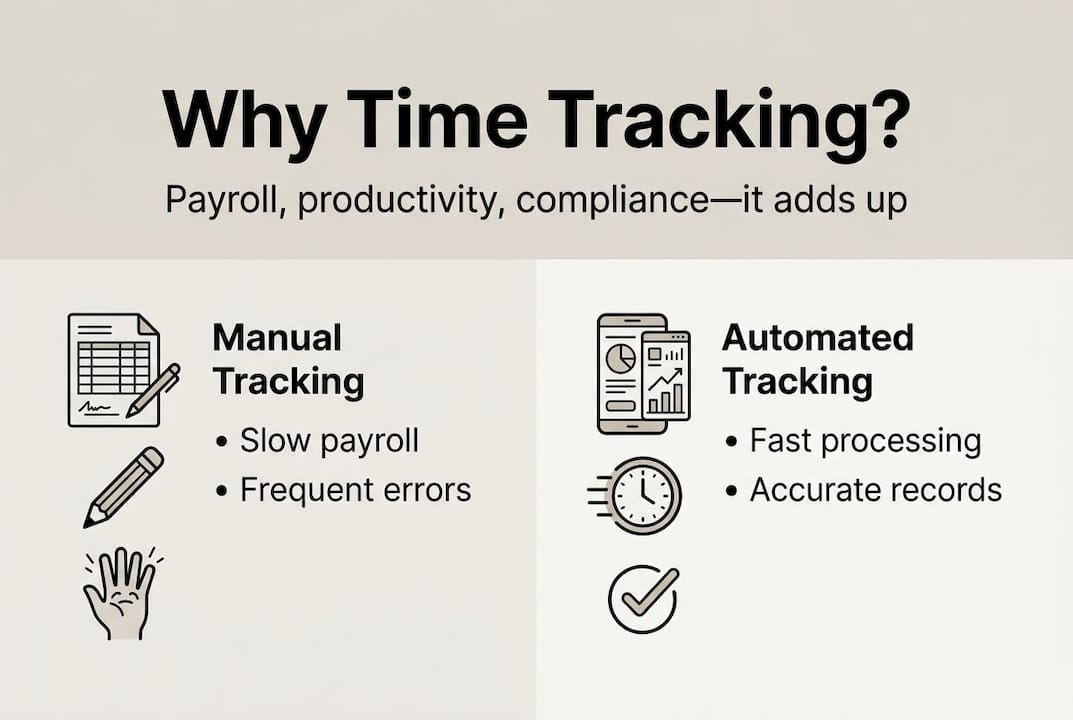
| Impact area | Manual process | Automated process |
|---|---|---|
| Payroll processing time | 5 to 8 hours per cycle | 1 to 2 hours per cycle |
| Error rate | Up to 80% | Under 5% |
| Overtime detection | Reactive | Real-time alerts |
| Compliance documentation | Manual filing | Automatic audit trail |
Compliance with labor law
The Fair Labor Standards Act (FLSA) requires employers to keep accurate records of hours worked and wages paid. Automated time tracking creates a timestamped, tamper-resistant log that satisfies these requirements without extra administrative effort. Break compliance, overtime thresholds, and shift minimums are all trackable and enforceable through the right platform.
Productivity and billing accuracy
Here's the insight most managers miss: time tracking doesn't just record work, it reveals the gap between time spent and value delivered. When you can see that 30% of a project's hours went to internal meetings and status updates, you can restructure workflows to recover that time. For client-facing teams, accurate time logs stop undercharging before it becomes a pattern. Centralized schedule management and efficient shift scheduling work together with time tracking to give you a complete operational picture. For additional context on leading platforms, time tracking integration options are worth reviewing as you evaluate your stack.
Key productivity benefits to expect:
- Visibility into actual vs. estimated project hours
- Identification of bottlenecks and overstaffed periods
- Data to support hiring decisions with real workload evidence
- Reduced time spent on payroll disputes and corrections
Common time tracking challenges and how to solve them
Understanding the benefits is only half the battle. Let's address the biggest obstacles SMBs face when implementing or improving time tracking systems.
Buddy punching and time theft
Buddy punching costs U.S. businesses $373 million annually. This is when one employee clocks in on behalf of another, inflating hours and distorting your payroll. GPS-based clock-ins and geofencing solve this at the source. If an employee must be physically present at a verified location to clock in, proxy punching becomes nearly impossible.
Overtime mismanagement
Overtime surprises are almost always a data problem. When managers can't see real-time hours, they can't intervene before overtime thresholds are crossed. Automated alerts when an employee approaches their weekly limit give you time to adjust scheduling before the cost hits.
Project creep and misclassified work
When employees log all hours under a single generic category, you lose visibility into where time actually goes. Encourage task-level logging with a limited set of categories, no more than six to eight, so data stays clean and actionable.
Pro Tip: Review costly time tracking mistakes before finalizing your system setup. Many SMBs build in problems from day one by skipping category structure or failing to set overtime alert thresholds.
Employee resistance and trust concerns
This is the challenge most managers underestimate. Employees often interpret new tracking systems as surveillance. The fix is transparency. Communicate clearly that time data is used for payroll accuracy, project planning, and fair scheduling, not performance monitoring or discipline.
"Employees who understand why time is tracked and see the data used fairly become advocates for the system, not resistors."
Remote and hybrid workforce verification
GPS and geofencing tools allow you to verify location at clock-in without continuous monitoring. This is a meaningful distinction. You're confirming presence, not tracking movement throughout the day. Modern workforce management platforms make this balance achievable without creating a surveillance culture.
Common challenges and their solutions at a glance:
- Buddy punching: Use GPS or biometric clock-in
- Overtime surprises: Set automated threshold alerts
- Vague time logs: Limit categories to six to eight options
- Employee resistance: Communicate purpose clearly and early
- Remote verification: Use geofencing, not continuous GPS tracking
Our take: Getting time tracking right for real business results
Here's what most time tracking guides won't tell you: the biggest mistake SMBs make isn't choosing the wrong software. It's treating time tracking as a control mechanism instead of an intelligence tool.
When managers deploy tracking with a punitive mindset, employees find workarounds, data quality drops, and trust erodes. The system becomes a source of friction rather than insight. We've seen this pattern repeatedly, and it's avoidable.
Real-time daily logging and limiting categories to six to eight maximum deliver far better insights and employee engagement than surveillance-style monitoring ever will. Simplicity isn't a compromise. It's the strategy.
The organizations that get the most from time tracking are the ones that use data to have better conversations, not to catch people out. They review weekly, share insights with their teams, and adjust workloads based on what the data reveals. That's how tracking builds trust instead of resentment.
Time tracking done right reveals your organization's true capacity, shows where effort is misaligned with priorities, and gives managers the confidence to make staffing decisions based on evidence. The benefits of automated tracking are only realized when the culture around the data is healthy. Focus on that first, and the tool will deliver everything it promises.
Smarter time tracking with Zeppri
If your team is still relying on spreadsheets, punch clocks, or disconnected apps, the gap between where you are and where you could be is costing you real money every pay cycle. Zeppri brings together mobile clock-ins with GPS verification, automated overtime alerts, shift scheduling, and payroll-ready reporting in one platform built for SMBs.

Managers get a real-time dashboard showing who's clocked in, where they are, and how hours are tracking against scheduled shifts. Employees get a simple mobile experience that takes seconds to use. And your HR team gets clean, exportable data that makes payroll faster and audits stress-free. Explore modern time tracking solutions and see how Zeppri can replace the manual work your team shouldn't be doing anymore.
Frequently asked questions
How does automated time tracking improve payroll accuracy?
Automated time tracking eliminates manual entry errors by syncing time data directly with payroll systems, reducing processing time by 78% and cutting costly miscalculations before they reach employee paychecks.
What's the best method for preventing buddy punching?
Combining mobile apps with GPS or biometric verification at clock-in is the most effective approach, since buddy punching costs businesses $373 million each year and location-based tools eliminate the opportunity entirely.
Is time tracking considered employee surveillance?
Transparent time tracking focuses on recording work hours for payroll and scheduling purposes, not personal activity. Surveillance tactics erode trust, while GPS tools used solely for clock-in verification build accountability without crossing privacy boundaries.
How often should time entries be logged?
Daily or real-time logging is the expert standard, because memory errors increase significantly when employees fill out timesheets weekly rather than as work happens.
What are the biggest pitfalls to avoid in time tracking systems?
The most common failures include overcomplicated category structures, delayed data entry, skipping employee communication, and ignoring mobile access for field teams who need flexible clock-in options.