
TL;DR:
- Effective workforce management reporting drives operational improvements and reduces costs through real-time data.
- Modern tools provide role-specific dashboards and AI forecasts for faster, informed decision-making.
- Clear ownership and actionable responses are essential to translate reports into workforce efficiency gains.
Workforce management (WFM) reporting is often treated as a back-office necessity, something you run before payroll and forget. That framing costs organizations real money. WFM software users report 65% increased efficiency and 51% reduced planning effort after moving to structured, automated reporting. For operations managers and HR leaders overseeing dozens or hundreds of employees, that gap between manual processes and modern analytics is the difference between reacting to problems and preventing them. This guide walks through what effective reporting actually looks like, which tools drive results, and how to build accountability into every metric you track.
Table of Contents
- Why reporting is essential in workforce management
- Modern reporting tools, dashboards, and analytics
- From data to action: Turning reporting into workforce improvements
- Pitfalls, challenges, and best practices in WFM reporting
- Perspective: Why measurement isn't enough—ownership and action matter most
- Take the next step with smarter workforce management tools
- Frequently asked questions
Key Takeaways
| Point | Details |
|---|---|
| Strategic metrics | Track the right KPIs to unlock actionable workforce insights. |
| Modern dashboards | Adopt unified, AI-enabled reporting tools for real-time analysis and faster decisions. |
| Action, not just data | Reporting only delivers value when paired with clear ownership and rapid response. |
| Avoid common pitfalls | Ensure data quality and unify systems to prevent errors and inefficiency. |
Why reporting is essential in workforce management
Reporting in WFM has evolved well beyond compliance checklists. It now serves as the strategic backbone for how mid-sized and large organizations allocate people, predict demand, and respond to operational gaps. The shift matters because workforce decisions made on outdated or incomplete data consistently produce wasted labor spend and missed service targets.
Effective WFM reporting tracks the metrics that actually drive operational outcomes. Key metrics include service levels, schedule adherence, forecast accuracy, and shrinkage, along with abandonment rate and labor utilization. Each one tells a different story about where your workforce is performing and where it is leaking capacity.
Here is why these metrics matter in practice:
- Service level reveals whether your staffing model matches real demand patterns
- Schedule adherence shows how closely actual work behavior tracks against the plan
- Abandonment rate signals customer-facing gaps created by understaffing or poor routing
- Shrinkage captures unplanned time away from productive tasks, including breaks, training, and absenteeism
- Forecast accuracy measures how well your planning model predicts actual workload
The financial stakes are concrete. WFM benchmarks show that 82% of organizations track abandonment rate and that WFM software delivers an average ROI of $13.01 for every $1 invested. These are not aspirational numbers. They reflect what happens when reporting shifts from a periodic snapshot to a continuous intelligence loop.
Underutilization is one of the clearest signals that reporting is overdue. Benchmarks indicate that underutilization above 23% correlates strongly with disengagement, and disengaged workers drag team-wide productivity down. A solid manager's guide to time tracking can clarify how to connect time data to those utilization numbers before they become a retention problem.
"Reporting in workforce management enables tracking of employee productivity, performance, and resource utilization through key metrics like service levels, schedule adherence, forecast accuracy, and shrinkage."
The benefits of automated time tracking extend beyond accuracy. They create the data pipeline that makes all downstream reporting reliable. Without clean, real-time time data, every metric downstream inherits the error.
Modern reporting tools, dashboards, and analytics
Understanding what to measure is only step one. The tools you use shape how quickly and effectively you act on those insights. The evolution from static spreadsheets to real-time, AI-augmented analytics platforms has changed what is operationally possible for organizations that manage large, distributed teams.
Modern WFM reporting platforms use KPI hierarchies and role-specific dashboards that give each stakeholder the right view at the right level. A line manager needs shift-level data. A department head needs area-level trends. An executive needs cost and throughput summaries. One dashboard does not serve all three audiences well.
The KPI hierarchy typically flows in four layers:
| Layer | Focus | Example KPI |
|---|---|---|
| Service | Customer-facing outcomes | On-time shipment rate, service level |
| Cost | Labor spend efficiency | Labor cost per order, overtime percentage |
| Operational flow | Process performance | Schedule adherence, utilization rate |
| Inventory integrity | Accuracy and error rate | Short-pick rate, receiving accuracy |
AI-driven forecasting tools now sit on top of these dashboards, using historical patterns and real-time inputs to surface predictions and flag anomalies before they become costly. For example, a spike in unplanned overtime on a specific shift can trigger an automated alert to the scheduling manager before it compounds across the week.
Pro Tip: Set up role-based dashboard views from the start. Giving a line manager access to company-wide cost data they cannot act on creates noise, not clarity. Align each view to the decisions that role actually controls.
Managers who also use essential mobile app features for on-the-go visibility can close the gap between a flagged insight and an actual schedule adjustment within minutes rather than waiting for a desktop review cycle.

The practical payoff of modern dashboards is speed. When a reporting platform surfaces a short-pick rate anomaly mid-shift, a floor manager can reassign workers in real time instead of discovering the gap during an end-of-day review. That responsiveness is where efficiency gains accumulate.
From data to action: Turning reporting into workforce improvements
Having the right technology is only half the battle. What comes next is ensuring your reporting actually drives operational change. Data without a response mechanism is just a record of what went wrong.
A disciplined approach to turning reports into action follows five clear steps:
- Collect accurate, real-time data from time tracking, scheduling, and attendance systems
- Analyze trends and variances against baseline KPI targets
- Identify root cause by distinguishing between planning errors, execution gaps, and structural issues
- Respond with specific, owned interventions at the right level of the organization
- Review outcomes against the response to improve future decision cycles
The escalation step is where many organizations stall. A reporting system that turns data into owned responses with clear root-cause cadences shifts the culture from retrospective review to real-time correction. Every KPI needs an owner. Without one, a flagged metric becomes a discussion rather than a decision.
Benchmarking adds context. Underutilization above 23% is not just a productivity concern. It is a leading indicator of disengagement that shows up later as turnover. Acting early, based on weekly utilization reports, costs far less than replacing a skilled employee.
| Response type | Trigger condition | Ownership level |
|---|---|---|
| Schedule adjustment | Adherence drops below 85% | Line manager |
| Overtime review | OT percentage exceeds 10% weekly | Department head |
| Forecast recalibration | Forecast accuracy falls below 80% | WFM analyst |
| Engagement intervention | Utilization below 77% for two weeks | HR business partner |
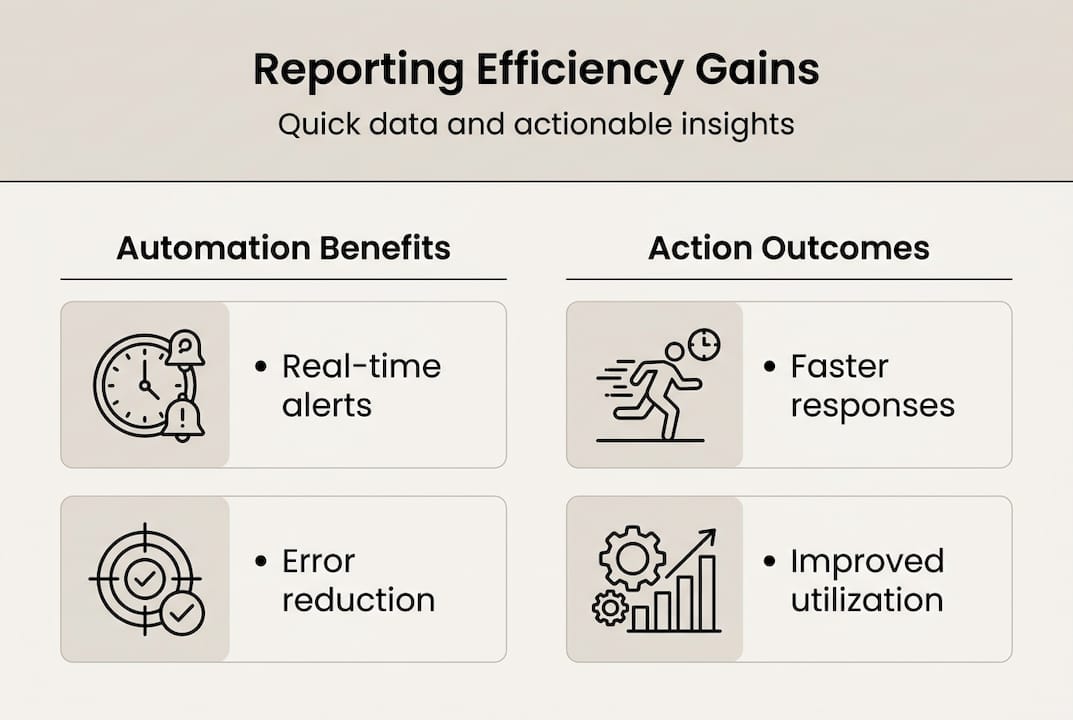
AI tools now make near real-time corrective action possible. Intraday dashboards flag emerging deviations before they cascade. Teams using mobile apps for engagement can push schedule changes and notifications directly to workers without a phone call. Organizations in service-intensive environments, like those applying hospitality efficiency strategies, use this real-time loop to protect both service quality and staff wellbeing simultaneously.
Pro Tip: Review your KPI ownership list quarterly. As teams grow or restructure, accountability gaps form without anyone noticing until a metric falls through the cracks.
Pitfalls, challenges, and best practices in WFM reporting
With a clear approach to turning reports into action, it is vital to know what could go wrong and how to avoid common stumbling blocks. Even organizations with strong intentions find their reporting programs underperforming for predictable reasons.
Common challenges include poor data quality, disconnected systems, manual processes that introduce errors, difficulties tracking hybrid and remote workers, and internal resistance to adopting analytics-driven management. None of these are surprising, but they are underestimated.
The most damaging pattern is the data silo. When scheduling lives in one system, time tracking in another, and payroll in a third, the reports each produces tell a partial story. Decisions made on partial data are only marginally better than guesses.
"Disparate systems and manual processes remain the leading cause of reporting failures in mid-sized and large organizations, eroding the trust that managers need to act confidently on what the data shows."
Here are the best practices that consistently separate high-performing WFM programs from the rest:
- Unify your platforms so that scheduling, time tracking, and attendance data share a single source of truth
- Automate routine reports to eliminate manual compilation errors and free analysts for interpretation
- Align response ownership before a reporting program launches, not after a crisis surfaces
- Audit data quality monthly, especially after system updates or organizational changes
- Train managers to read dashboards, not just receive them; comprehension drives action
Manual reporting is not just slow. It is structurally incompatible with hybrid and remote team management. When workers clock in from multiple locations, a paper-based or spreadsheet-driven process cannot keep pace. The case to centralize schedule management is partly a reporting case: centralization makes clean data possible.
Over-relying on lagging metrics is another trap. If your primary reporting view shows last week's numbers, you are always responding to the past. Balancing lagging indicators with real-time and predictive views is a core principle of mature WFM reporting. Aligning these practices with solid workforce compliance strategies ensures that accuracy and accountability reinforce each other rather than compete.
Perspective: Why measurement isn't enough—ownership and action matter most
Organizations invest heavily in dashboards and assume the efficiency gains will follow. They often do not, and the reason is rarely the technology. The gap is almost always accountability.
We have seen teams with sophisticated reporting suites that still respond to workforce gaps two or three days after the fact. The dashboards were accurate. The alerts were firing. But no one had clear, empowered ownership of the response. Without that, a reporting system becomes an expensive record-keeping tool.
The uncomfortable truth is that most WFM reporting programs are designed around measurement and not around decision rights. Knowing that schedule adherence dropped to 79% is useful. Knowing exactly who is responsible for acting on it, with what authority, and within what time frame, is what creates efficiency.
Hybrid teams amplify this gap. When your workforce spans offices, remote desks, and field locations, lagging metrics are almost useless. Real-time reporting paired with pre-defined escalation paths is the only model that actually works. Modern reporting technology is a powerful enabler. It is not a substitute for the organizational discipline that turns a number into a decision.
Take the next step with smarter workforce management tools
If your current reporting setup leaves managers waiting days for insights or chasing data across disconnected systems, the gap between what you track and what you actually improve will keep widening.

Zeppri's workforce management platform brings scheduling, time tracking, attendance, and reporting into a single unified environment. Operations managers and HR leaders get real-time dashboards, automated alerts, and clean data exports without stitching together multiple tools. Whether your team is in retail, healthcare, hospitality, or manufacturing, Zeppri gives you the visibility to act fast and the accountability structure to act right. Explore how the platform can close the reporting-to-action gap for your organization.
Frequently asked questions
What are the most important reporting metrics in workforce management?
Key metrics for WFM reporting include service level, schedule adherence, forecast accuracy, shrinkage, and abandonment rate, each reflecting a different dimension of productivity and resource use.
How does automated reporting improve workforce efficiency?
Automated reporting reduces manual errors, enables real-time analytics, and gives managers faster signals to act on, contributing to the 65% efficiency gains and 51% reduced planning effort reported by WFM software users.
What are common pitfalls in workforce reporting?
Poor data quality, disconnected systems, and manual processes are the most common obstacles, often compounded by difficulties tracking hybrid or remote workers and internal resistance to analytics adoption.
How should organizations respond to underutilization revealed by reporting?
Underutilization above 23% is a recognized disengagement trigger, and managers should use reporting insights to adjust schedules and roles quickly before the pattern deepens into turnover.