
TL;DR:
- Accurate, consistent clock-in processes are essential to ensure payroll and compliance accuracy.
- Choosing the right method depends on workforce type, size, and technological comfort level.
- Regular audits and employee feedback help maintain ongoing system effectiveness and legal compliance.
Clock-in errors don't stay small. A missed punch here, a manual entry there, and suddenly your payroll is off, your compliance records are incomplete, and your HR team is spending Friday afternoons chasing down corrections. For organizations running multiple shifts or managing a distributed workforce, an inconsistent clock-in process is a slow leak that costs real money and real time. This guide covers exactly what you need to build a reliable employee clock-in process: the requirements, the setup, the troubleshooting, and the ongoing checks that keep everything working.
Table of Contents
- What you need before starting: Requirements and options
- How to set up your employee clock-in process: Step-by-step guide
- Troubleshooting and optimizing your process
- Verifying results and ensuring ongoing compliance
- Our perspective: Why most employee clock-in processes fail (and how to do it right)
- Streamline your process with Zeppri
- Frequently asked questions
Key Takeaways
| Point | Details |
|---|---|
| Flexible compliance options | Employers can choose any reliable method for tracking time as long as hours are accurately recorded. |
| Rounding rules apply | Rounding for clock-in and clock-out is permitted if the practice is neutral and fair over time. |
| Accurate records matter | Maintaining precise and complete time records helps prevent payroll disputes and ensures labor law compliance. |
| Ongoing verification | Regular review and auditing of clock-in data are essential for continuous improvement and trust. |
What you need before starting: Requirements and options
Before you can improve or overhaul your process, it's crucial to know what's required and which clock-in options fit your needs.
The Fair Labor Standards Act (FLSA) sets the legal baseline for tracking employee hours in the U.S. One thing many HR professionals don't realize: time clocks are optional under FLSA; rounding is allowed if neutral over time. That means you have genuine flexibility in how you collect clock-in data, as long as accuracy and fairness are maintained.
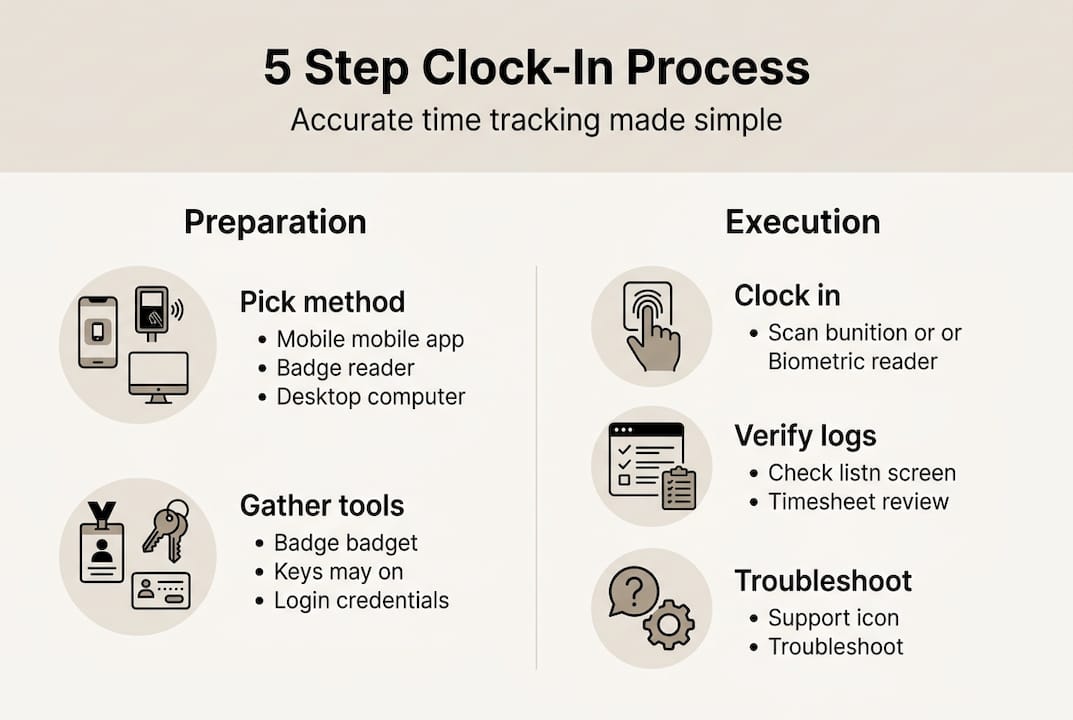
Your four main options are physical time clocks, mobile apps, kiosk stations, and paper logs. Each has a place depending on your industry, workforce size, and budget.
| Method | Best for | Pros | Cons |
|---|---|---|---|
| Physical time clock | Manufacturing, warehouses | Familiar, reliable, no smartphone needed | Hardware cost, limited mobility |
| Mobile app | Remote, field, or multi-site teams | Real-time data, GPS verification, scalable | Requires employee smartphone |
| Kiosk station | Retail, hospitality, healthcare | Shared device, photo capture, hygienic options | Setup cost, single-point access |
| Paper log | Very small teams, backup only | Zero tech required | Error-prone, no automation, hard to audit |
Reviewing the mobile clock-in benefits for distributed teams is worth your time if you manage employees across multiple locations. The accuracy gains alone often justify the switch.
Regardless of which method you choose, every clock-in system must meet these core requirements:
- Accuracy: Records must reflect actual hours worked, not approximations
- Record retention: You need to keep time data for at least two years under FLSA
- Compliance: The system must support your rounding policy, if you use one, and be applied consistently
- Ease of use: If employees find it difficult, they'll skip steps, and that creates gaps
- Auditability: Records should be exportable and reviewable at any time
For a broader look at time data strategy, the manager's guide to time tracking walks through how time tracking connects directly to payroll accuracy and operational efficiency.
Taking the time upfront to assess your workforce's size, tech comfort level, and site structure will save you from deploying a system that nobody actually uses.
How to set up your employee clock-in process: Step-by-step guide
Once you've selected the right approach, it's time to actually set up and deploy your clock-in system.
Setup doesn't have to be complicated, but it does need to be intentional. Skipping steps early leads to confusion later. Here's a clear sequence to follow:
- Choose your clock-in method based on workforce type, shift structure, and device availability
- Select and configure your platform or hardware, including setting up employee profiles, shift assignments, and rounding rules
- Define your clock-in policy in writing: when employees must clock in and out, grace periods, and how to handle forgotten punches
- Train managers first, then employees, with hands-on walkthroughs rather than email instructions
- Run a pilot test with one team or shift before full rollout
- Launch company-wide and monitor the first two weeks closely for issues
- Collect feedback from both managers and employees and adjust accordingly
Here's a quick reference for each phase:
| Phase | Responsible party | Estimated time |
|---|---|---|
| Platform selection and config | HR or IT lead | 1 to 2 weeks |
| Policy documentation | HR manager | 3 to 5 days |
| Manager training | HR or department heads | 1 day per group |
| Employee training | Managers | 1 to 2 hours per shift |
| Pilot test | HR with one team | 1 week |
| Full rollout | All managers | 1 to 2 days |
| Post-launch review | HR | Ongoing |
FLSA guidance is clear: record hours accurately and disregard insignificant (de minimis) time periods. This means your system needs to be precise for regular work time, but you're not required to capture every single second of incidental activity.

Pro Tip: Run your pilot with a team that spans different tech comfort levels. If the least tech-savvy employee can use the system without help, you're ready to scale.
The automated time tracking benefits are significant once your system is running: fewer manual corrections, faster payroll processing, and better visibility into actual hours worked. Pairing that with centralized schedule management gives managers a single source of truth for both scheduling and attendance.
Troubleshooting and optimizing your process
Even a well-designed clock-in process will occasionally face hiccups. Here's how to tackle and avoid them.
Three issues show up repeatedly across industries: missed punches, buddy-punching, and system downtime. Each one has practical solutions.
Missed punches happen when employees forget to clock in or out. This is the most common problem and the easiest to address.
- Set up automated alerts that notify employees and managers within 30 minutes of a missed punch
- Create a simple correction request process so employees can flag errors without going through multiple approvals
- Use mobile apps with push notifications as clock-in reminders at shift start
Buddy-punching (when one employee clocks in for another) is a surprisingly costly issue. Studies suggest it accounts for a measurable percentage of time theft in hourly workforces.
- Implement photo capture or facial recognition at kiosk stations
- Use GPS geofencing so mobile clock-ins are only accepted from approved locations
- Review patterns in time logs; identical clock-in times across multiple employees can signal buddy-punching
System downtime is inevitable at some point. Have a backup plan.
- Keep a paper log template accessible at each worksite
- Designate a manager to handle manual entries during outages
- Choose a platform with offline functionality so employees can still clock in without connectivity
Pro Tip: Schedule a quarterly audit of your time records. Compare clock-in data against scheduling records to catch anomalies before they become payroll problems. A quick review of workforce compliance strategies can help you build this into your regular HR calendar.
Important: Rounding must be neutral over time and cannot systematically favor the employer. Rounding policies that consistently shave employee time expose your organization to wage claims and back-pay liability.
For teams using mobile devices, reviewing the must-have mobile app features helps you evaluate whether your current tool has the controls needed to prevent these common issues.
Verifying results and ensuring ongoing compliance
To keep your clock-in process delivering results, ongoing verification and compliance checks are essential.
Deploying a system is only half the job. The organizations that get sustained value from their clock-in process are the ones that check it regularly. Here's what that looks like in practice:
- Weekly log review: Compare clock-in and clock-out records against the schedule for that week. Flag any gaps, unusually short shifts, or employees who clocked in from unexpected locations.
- Monthly anomaly audit: Look for patterns like consistent early clock-outs, frequent missed punches from the same employee, or clock-ins that don't align with any scheduled shift.
- Quarterly cross-check: Match your time records against payroll runs to verify that hours paid equal hours logged. Discrepancies should trigger an immediate review.
- Annual compliance review: Confirm that your record retention practices meet legal standards. Employers must keep accurate records of hours worked, and under FLSA, payroll and time records must be retained for a minimum of two years. Some states require three years, so check your local regulations.
Stat callout: FLSA requires employers to retain payroll records for at least 2 years and basic employment records for at least 3 years. Non-compliance can result in back wages, fines, and legal fees that far exceed the cost of a proper record-keeping system.
The indirect benefits of a solid verification process are just as valuable as the compliance ones. Employees notice when records are accurate. When payroll errors stop happening, trust increases and disputes decrease. That's a real culture benefit that's easy to overlook.
For HR teams managing multiple sites, tools that support efficient shift scheduling alongside time tracking make cross-checking much faster. And for operations managers thinking about scale, mobile apps for workforce management bring all of this data into one place, making compliance checks a task that takes minutes rather than hours.
Our perspective: Why most employee clock-in processes fail (and how to do it right)
Here's what most guides on this topic skip: the biggest risk isn't choosing the wrong software. It's building a process that employees quietly ignore.
We've seen organizations invest in robust platforms only to end up with the same problems they started with because the tool didn't fit how work actually happens. Managers enforced rules inconsistently. Employees found workarounds. And nobody caught it until payroll was already wrong.
Stricter enforcement isn't always the answer. If your clock-in process creates friction, people will avoid it. The better question is: does this tool fit the actual workflow of the people using it?
Frontline input matters more than most HR teams realize. The employees clocking in every day know exactly where the friction points are. Before you finalize any system, ask them. A five-minute conversation on the floor often surfaces problems that a six-week implementation never caught.
Digital tools that adapt to workflow, rather than demanding the workforce adapt to them, consistently outperform rigid systems. The benefits of mobile clock-in go beyond convenience: when the process feels natural, compliance goes up without enforcement pressure. That's the outcome worth designing toward.
Streamline your process with Zeppri
After mastering the basics, you may want technology that does the heavy lifting for you.

Zeppri workforce management brings together real-time mobile clock-ins, GPS geofencing, automated scheduling, and compliance-ready reporting in one platform. Whether you're managing a single-site team or coordinating shifts across multiple locations, Zeppri gives HR and operations managers the visibility they need without the administrative overhead. Employees clock in with their phones, managers see live attendance data on their dashboards, and payroll exports are ready when you need them. If you're ready to move beyond manual processes and patchy records, explore Zeppri's features or book a demo to see how it fits your workforce.
Frequently asked questions
Are employers required by law to use a specific time clock system?
No, employers can choose any method as long as hours are accurately recorded and records are preserved. Time clocks are not compulsory under FLSA, so the choice of system is entirely up to the employer.
Can employers round clock-in and clock-out times?
Yes, rounding to the nearest 5 or 15 minutes is allowed if the policy is fair and neutral over time. Neutral rounding is permitted under FLSA, but it cannot consistently work in the employer's favor.
What is a de minimis time period in clock-in records?
De minimis refers to trivial or insignificant time periods that don't need to be recorded if they occur occasionally and are difficult to track precisely. De minimis periods can be ignored in time tracking when they are genuinely minor and infrequent.
How long are employers required to retain clock-in records?
Employers must generally retain payroll and time records for at least two years under FLSA, though some states require three. The record retention requirement under FLSA applies to all covered employers regardless of business size.