

TL;DR:
- Digital timesheet tracking improves accuracy and reduces payroll errors significantly.
- Automated and real-time data capture enhances operational reliability and compliance.
- Culture and management accountability are crucial for successful digital implementation.
One missed timesheet entry can cascade into a payroll nightmare. Duplicate hours, unapproved overtime, forgotten clock-outs — these aren't rare exceptions; they're daily realities for teams relying on spreadsheets or paper logs. Manual tracking leads to 44-90% more payroll errors and opens the door to significant time theft. Digital timesheet tracking isn't just about swapping paper for software. It's about redesigning how your organization captures, verifies, and acts on workforce time data. This guide breaks down exactly what digital timesheet tracking means, why it matters, and how to implement it in ways that actually stick.
Table of Contents
- What digital timesheet tracking means
- Why move away from manual tracking?
- Common edge cases and pitfalls
- Best practices for smarter timesheet tracking
- What most guides miss about digital timesheet tracking
- Experience seamless digital timesheet tracking with Zeppri
- Frequently asked questions
Key Takeaways
| Point | Details |
|---|---|
| Digital tracking defined | Digital timesheet tracking uses software to accurately log and automate employee work hours. |
| Major efficiency boost | Switching to digital systems saves money, time, and dramatically cuts payroll errors. |
| Address hidden risks | Watch for edge cases like time theft, remote work gaps, and ensure strong policies. |
| Best practices matter | Daily entry, automation, and team training are essential for system success and compliance. |
| Culture drives results | Even top tracking tools need clear rules and buy-in to transform workforce management. |
What digital timesheet tracking means
Digital timesheet tracking is the practice of using software or mobile apps to log, store, manage, and report employee hours automatically. Instead of handwriting hours on a form or entering guesses into a spreadsheet at the end of the week, employees clock in and out in real time through a device. The system records everything, applies rules, and generates accurate reports without manual intervention.
The contrast with paper-based or manual methods is significant. Paper timesheets depend entirely on human memory and honesty. Spreadsheets require someone to manually enter, check, and consolidate data, creating multiple points where errors can slip in. Digital tools close these gaps by capturing time at the source, the moment it happens.
Here's what makes digital timesheet tracking fundamentally different:
- Real-time entry: Employees log hours as they work, not hours later from memory.
- Automated approvals: Managers review and approve timesheets within the platform, with automated alerts for anomalies.
- Device flexibility: Clock-ins happen via smartphones, tablets, or desktop browsers, wherever the work is.
- Data security: Hours are stored in the cloud with access controls, audit trails, and backup protection.
- Instant reporting: Payroll and compliance reports generate in seconds, not hours.
For a broader look at how these systems fit into workforce strategy, a manager's guide to time tracking covers the full operational picture.
The numbers back up why this shift matters. Digital systems capture 95% of billable time compared to just 70% with manual methods, saving organizations up to $2,340 per employee per year. That gap is not a rounding error. It's real money leaving your business every pay period when your tracking method is imprecise.
| Feature | Manual tracking | Digital tracking |
|---|---|---|
| Entry method | Handwritten or spreadsheet | App, browser, or biometric |
| Data accuracy | Dependent on memory | Real-time, automated |
| Approval workflow | Manual review | Automated alerts and routing |
| Reporting speed | Hours to compile | Instant |
| Integration | None or manual export | Payroll, HR, and billing systems |
| Audit trail | None or fragile | Timestamped and cloud-stored |
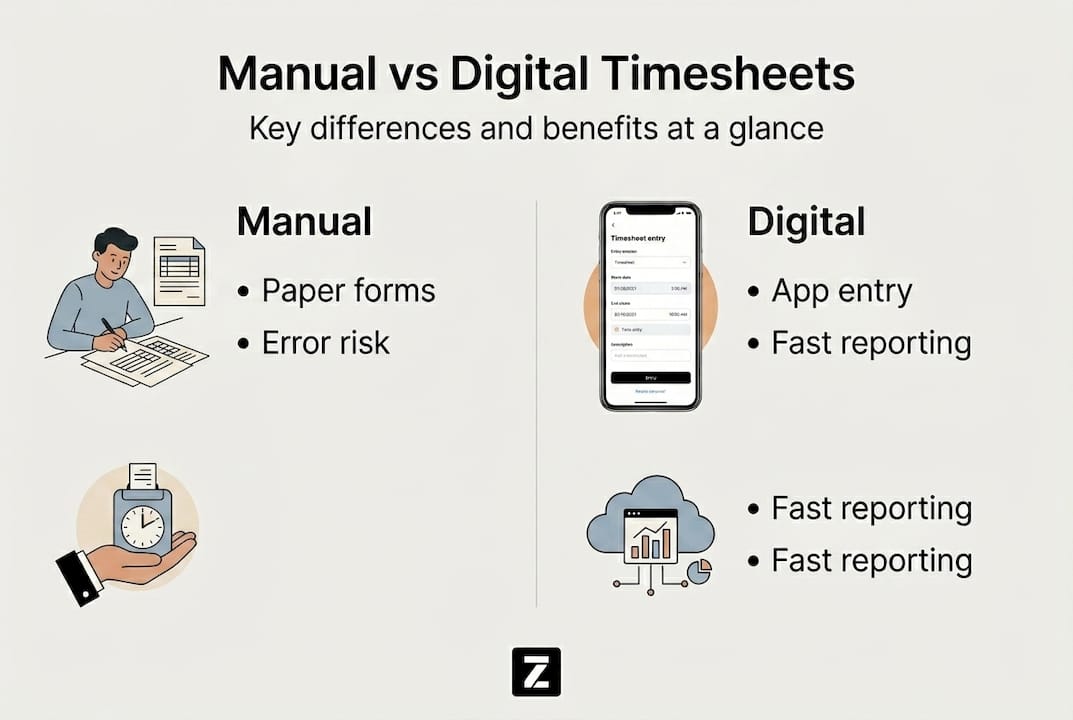
When you look at that comparison, the case for digital isn't just about convenience. It's about operational reliability. Business owners and HR managers need data they can trust, not figures assembled from employee guesses and manager edits.
Why move away from manual tracking?
Manual tracking isn't just inefficient. It's quietly expensive. Payroll errors from handwritten timesheets, conflicting spreadsheet versions, or lost paper forms cost organizations thousands of dollars annually in corrections, compliance penalties, and lost billable time. Add in the administrative hours spent chasing down missing entries and the cost compounds fast.
Digital tracking solves this by removing humans from the data-capture step entirely. The employee clocks in, the system records it, and the rule set handles overtime calculations, break deductions, and policy enforcement automatically. That means fewer disputes, cleaner records, and dramatically less admin burden.
Look at the direct comparison:
| Category | Manual tracking | Digital tracking |
|---|---|---|
| Annual cost impact | High (errors, corrections) | Low (automated accuracy) |
| Error rate | 44-90% higher | Significantly reduced |
| Accountability | Difficult to verify | GPS, biometrics, audit logs |
| Compliance readiness | Manual and inconsistent | Automated and audit-ready |
Organizations that switched to digital systems saw 75% faster processing and 176%+ ROI, along with a 5-8% reduction in billing leakage. That's not a marginal improvement; it's a structural change in how well your business operates.

The benefits of automated time tracking extend beyond payroll accuracy. Managers spend less time reconciling data and more time on decisions that actually move the business forward. HR teams get cleaner records for audits and compliance reviews. Employees benefit from transparent, accurate pay without the stress of disputed hours.
Digital systems also address time theft directly. When every clock-in carries a timestamp and, in many cases, a GPS coordinate, employees know the system is watching, and that accountability alone changes behavior.
Pro Tip: Combine real-time entry with automated policy enforcement from day one. Don't wait for a payroll dispute to tighten your rules. Set the standard at onboarding and the system does the rest.
Common edge cases and pitfalls
Modern tools are powerful, but not foolproof. So, what can still go wrong and how do you address it?
Even well-implemented digital systems develop blind spots. Understanding where things break down helps you design a setup that stays accurate under real-world conditions.
The most common timesheet pitfalls include:
- Memory-based late logging: Employees who forget to clock in and reconstruct hours from memory introduce the same accuracy problems as paper.
- Buddy punching: One employee clocks in for another, inflating hours without anyone present to verify it.
- Overcomplicated category structures: Too many project codes or task labels lead to misclassification and messy reports.
- Remote and hybrid gaps: Field workers or remote employees may have connectivity issues that interrupt logging.
- Time zone errors: Distributed teams crossing time zones create clock-in discrepancies if the system isn't configured correctly.
- Device failure: A phone that dies mid-shift leaves a gap in the record if there's no fallback process.
"Time theft makes up 1.5 to 5% of total payroll costs in many organizations, a figure that adds up to significant losses over a year."
Buddy punching is particularly common in industries like retail and hospitality where shift turnover is high and supervision is limited. GPS and biometric verification solve much of this, but only if they're actually enabled and enforced.
For teams working across multiple locations, mobile apps for remote workforces offer the flexibility to clock in from the field without sacrificing accuracy. Understanding which top mobile app features matter most helps you configure tools that match your team's actual working patterns.
Pro Tip: Set up automated reminders that prompt employees to log hours at shift end. Most late or missing entries aren't intentional; they're just forgotten. A simple nudge closes the gap before it becomes a payroll problem.
Best practices for smarter timesheet tracking
To overcome edge cases and get the most from digital tracking, smart strategies matter most.
Technology alone doesn't fix process problems. You need a clear framework that combines good tools with good habits and consistent enforcement. Here's how to build one:
- Write a clear timesheet policy: Define what counts as work time, when entries must be submitted, how corrections are handled, and what the consequences are for non-compliance. Ambiguity invites workarounds.
- Require daily real-time entries: Weekly batch submissions are a major source of inaccuracy. Daily real-time logging reduces errors by up to 80% and keeps records aligned with actual work performed.
- Integrate with payroll and billing: A timesheet tool that doesn't connect to your payroll system creates a manual transfer step where errors re-enter. Integration closes that loop completely.
- Apply verification tools where risk is highest: For field teams, delivery workers, or high-turnover environments, mobile clock-in for accuracy with GPS verification adds an important layer of accountability without being invasive.
- Automate reminders and approval workflows: Don't rely on managers to manually chase missing timesheets. Set automated reminders at shift end and escalation alerts for overdue submissions.
- Train consistently and revisit regularly: Onboarding training is not enough. Workforce compliance strategies should include refresher sessions when policies change or when audit results reveal patterns of error.
Consistency is what separates organizations that get lasting results from those that implement digital tracking and then watch accuracy slowly drift back toward the baseline.
Pro Tip: Build employee buy-in before rolling out verification tools like GPS or biometrics. Explain the why, not just the what. When staff understand the system protects them as much as it monitors them, adoption rates climb and resistance drops.
What most guides miss about digital timesheet tracking
Most conversations about digital timesheet tracking focus on features: which platform integrates with which payroll tool, whether geofencing is included, how reports are formatted. That's all useful, but it misses the actual reason most implementations fail.
The real driver of success is culture, not software. We've seen organizations deploy sophisticated tracking systems only to watch managers approve unreviewed timesheets in bulk just to clear their queue. The technology worked perfectly. The process around it didn't.
Without leadership accountability and clear rules enforced consistently, even the best platform becomes something employees learn to work around. The tool doesn't replace judgment; it amplifies whatever behaviors your team already has.
Aligning your digital tracking setup with centralized schedule management is one concrete step that bridges the gap between technology and practice. But the harder work is making sure every manager treats timesheet review as a real responsibility, not an administrative checkbox.
Ignore the human side, and you'll spend years chasing symptoms instead of fixing the root cause.
Experience seamless digital timesheet tracking with Zeppri
If you're ready to move beyond patchwork spreadsheets and fragmented tracking, a unified platform makes the difference. Zeppri workforce management brings real-time timesheet tracking, automated approvals, GPS verification, and payroll-ready reporting into a single system built for businesses of every size.

The automation, integration, and compliance features covered in this guide aren't theoretical with Zeppri; they're built in and ready to deploy. See the full picture of what automated time tracking benefits look like in practice, and discover how fast your team can shift from manual headaches to clean, accurate workforce data.
Frequently asked questions
How does digital timesheet tracking reduce payroll errors?
Digital tracking automates entries, applies precise rules, and flags anomalies instantly, which reduces payroll errors by 44 to 90% compared to manual methods.
What features make the biggest difference in digital timesheet solutions?
Real-time entry, automated reminders, device flexibility, and payroll integration have the highest impact. Daily logging and integration alone yield up to 80% fewer errors.
Can digital systems prevent time theft or buddy punching?
Yes. GPS verification and biometric clock-ins make fraudulent entries far harder to execute. GPS and biometrics are especially effective in high-risk or high-turnover environments.
Is it easy to switch from manual to digital timesheet tracking?
Most platforms offer guided onboarding, but lasting success depends on clear policies and consistent staff training. Training and clear policies are what separate smooth transitions from failed rollouts.