

TL;DR:
- Consistent, clear policies and proper setup prevent errors and ensure accurate payroll data.
- Automated, simplified time tracking processes improve accuracy, reduce administrative workload, and minimize disputes.
- Regular monitoring and continuous improvement of metrics help sustain efficiency and compliance over time.
Untracked hours, missed clock-ins, and spreadsheet errors cost organizations far more than most managers realize. When time data is inconsistent or incomplete, payroll runs late, disputes spike, and compliance risk climbs. A structured, step-by-step approach to time tracking eliminates the guesswork, reduces administrative burden, and gives HR teams the clean data they need to run payroll with confidence. This guide walks you through everything: the right tools, the exact process, common mistakes to avoid, and the results you can realistically expect once a solid system is in place.
Table of Contents
- Preparing for time tracking: Requirements and tools
- Step-by-step process for accurate time tracking
- Troubleshooting and avoiding common mistakes
- What to expect: Results and ongoing improvements
- Why simplicity wins: Our experience with step-by-step time tracking
- Ready to streamline your time tracking?
- Frequently asked questions
Key Takeaways
| Point | Details |
|---|---|
| Clear steps matter | A defined time tracking process ensures fewer errors and faster payroll. |
| Choose the right tools | The right mix of policies and technology prevents common mistakes and streamlines attendance tracking. |
| Automate for gains | Automated solutions save time, reduce errors, and make data review simple. |
| Monitor and adjust | Regular feedback and improvement are key to sustained efficiency. |
| Simplicity works | Simple, transparent time tracking systems earn employee trust and require less support. |
Preparing for time tracking: Requirements and tools
After establishing the need for a clear process, the first step is to prepare your organization with the right foundation. Skipping this phase is where most implementations go wrong. You might have great software, but without a written policy and clean employee data, the system will produce messy results from day one.
Why preparation matters more than most managers think
Accurate setup prevents errors downstream. If your attendance rules aren't defined before you configure the system, you'll spend weeks correcting overtime calculations, retroactively adjusting break deductions, and fielding employee complaints. Think of preparation as the blueprint. You wouldn't build a building without one.
Start by documenting your time tracking policy. This should cover:
- Clock-in and clock-out rules: When employees are expected to log time, and what counts as a late or missed entry.
- Break and meal period rules: Whether breaks are paid or unpaid, and how they're recorded.
- Overtime thresholds: Daily or weekly limits that trigger overtime pay under your applicable labor laws.
- Approval workflows: Who reviews and approves timesheets before payroll runs.
- Data privacy guidelines: How employee time data is stored, who can access it, and how long records are retained.
Next, gather the data you'll need to configure the system: employee names, roles, departments, shift schedules, and pay rates. Missing even one of these elements creates gaps that slow down your first payroll cycle.
Choosing between manual and digital tools
Time tracking for managers in professional services and other industries shows a clear pattern: companies that move from manual to digital tools see measurable gains in productivity and operational efficiency. The choice between tools depends on your team size, budget, and the complexity of your scheduling needs.
Here's a quick overview of common options:
| Tool type | Best for | Key limitation |
|---|---|---|
| Paper timesheets | Very small teams, simple shifts | High error rate, no audit trail |
| Spreadsheets | Small teams with basic needs | Manual entry, version control issues |
| Dedicated time tracking software | Mid to large teams | Requires onboarding investment |
| Workforce management platforms | Complex scheduling, multi-location | Higher cost, more setup time |
| Mobile clock-in apps | Field workers, retail, hospitality | Requires smartphone access |
Pro Tip: Before committing to any tool, verify that it integrates directly with your payroll software and scheduling system. A platform that requires manual data export between systems creates the same bottleneck you're trying to eliminate. Ask vendors specifically about API connections or native integrations with tools you already use.
Step-by-step process for accurate time tracking
With tools and requirements in place, you're ready to follow a proven step-by-step process for effective time tracking. The sequence below applies whether you're running a 15-person retail shop or a 500-employee healthcare facility. Consistency at each stage is what separates organizations that get clean payroll data from those that spend hours fixing it every cycle.
The five-stage process
-
System setup: Configure your time tracking tool with your attendance rules, pay periods, overtime settings, and approval workflows. Add all active employees with their correct roles and schedules. Test the system with a small pilot group before rolling it out to the full team.
-
Employee onboarding: Train every employee on how to clock in and out, how to submit corrections, and who to contact if something goes wrong. Written instructions and a short walkthrough session reduce support requests significantly. Don't assume employees will figure it out on their own.
-
Daily tracking: Employees clock in and out according to their scheduled shifts. Managers monitor real-time attendance data through their dashboard. Any missed entries or anomalies should be flagged and resolved the same day, not at the end of the pay period.
-
Data review: At the end of each week or pay period, managers review submitted timesheets for accuracy. This includes checking for unapproved overtime, missing entries, and unusual patterns. Approvals should happen before payroll processing begins, not after.
-
Payroll export: Once timesheets are approved, export the data to your payroll system. Automated platforms handle this with a single click. Manual systems require careful formatting to avoid import errors.
Manual vs. automated tracking at each stage
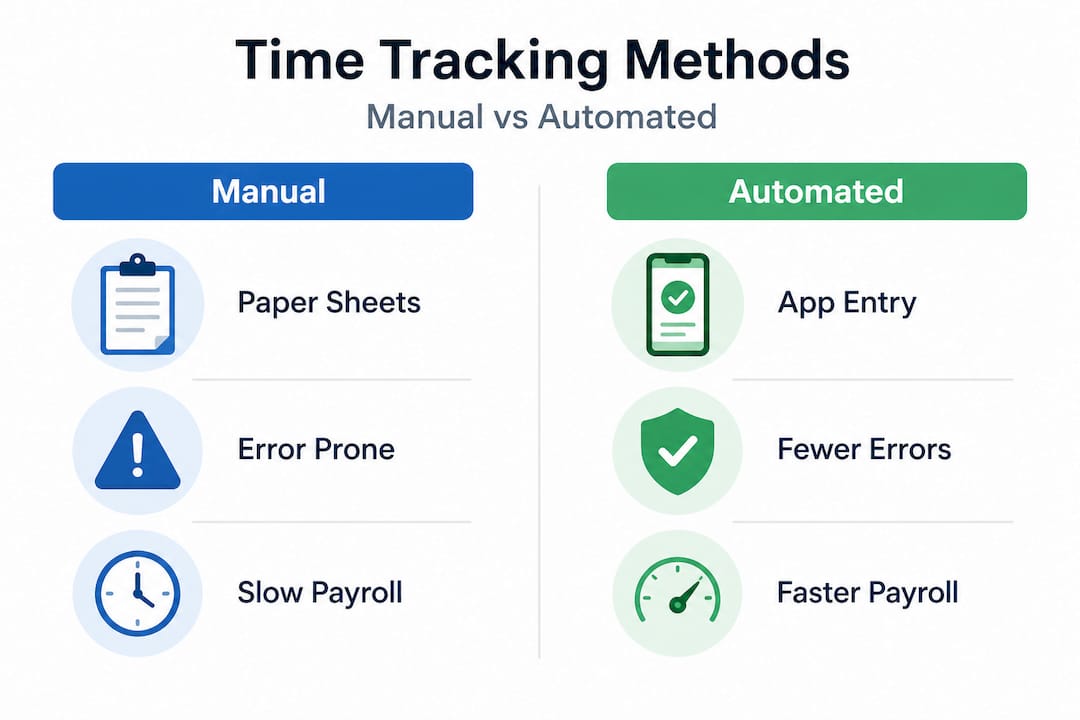
Comparing automated time tracking benefits against manual processes makes the efficiency gap obvious, especially at scale.
| Stage | Manual process | Automated process |
|---|---|---|
| System setup | Spreadsheet configuration, prone to formula errors | Guided setup wizard, rule-based configuration |
| Employee onboarding | Distribute paper forms, collect signatures | Digital onboarding, self-service portal |
| Daily tracking | Employees fill in sheets, managers collect | Real-time clock-ins via app or web portal |
| Data review | Manual cross-checking, time-intensive | Automated alerts for anomalies, one-click review |
| Payroll export | Manual data entry into payroll system | Direct integration or formatted export file |
The mobile clock-in advantages are particularly significant for distributed teams. When employees can clock in from their phones with geofencing verification, you eliminate buddy punching (one employee clocking in for another), reduce missed entries, and get location-confirmed attendance data without any extra effort from your HR team.
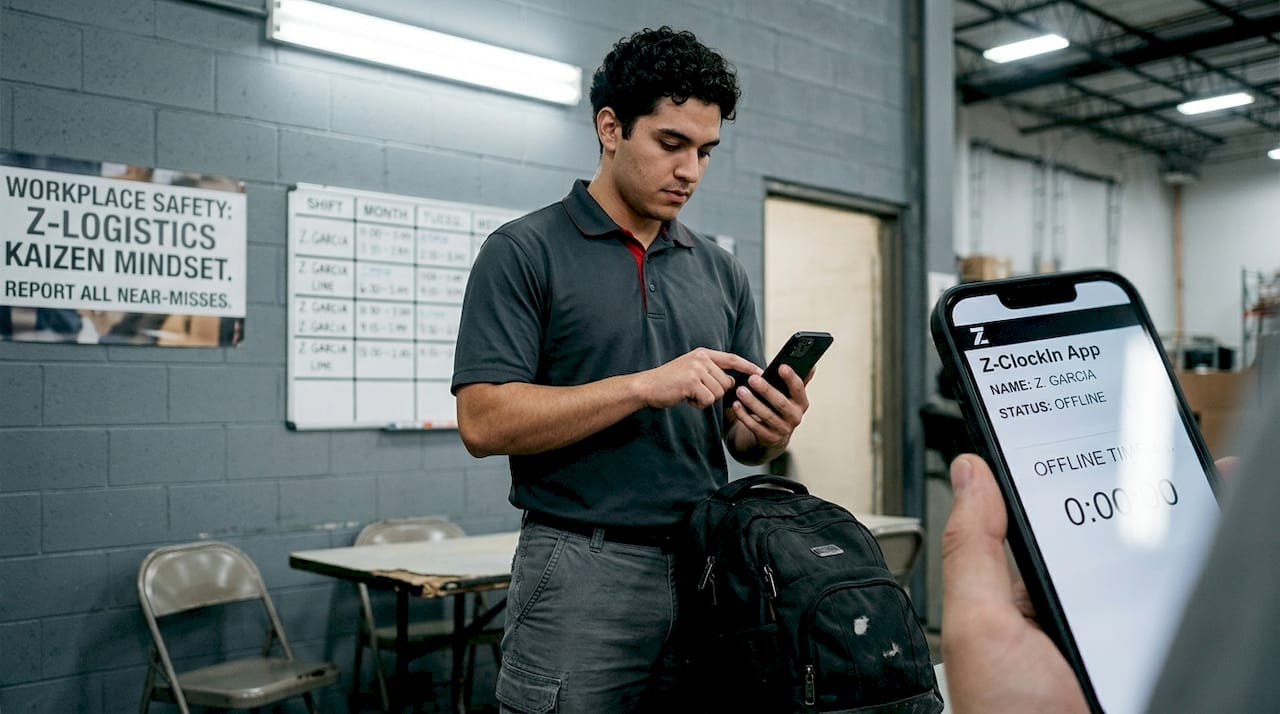
Pro Tip: Set up automated reminders or push notifications for employees who haven't clocked in within 10 minutes of their scheduled start time. This single feature alone reduces missed clock-ins by a significant margin and saves managers from chasing down corrections at the end of the week.
Troubleshooting and avoiding common mistakes
Even with a good system, issues can surface. It pays to know what problems to watch for and how to fix them before they become expensive habits.
The most common time tracking mistakes
Organizations that implement efficient shift scheduling alongside time tracking tend to catch these problems earlier because their scheduling and attendance data are connected. When they're separate, errors hide longer.
Here are the top mistakes and how to address each one:
-
Missed clock-ins: Employees forget to log time, especially at shift start. Fix this with automated reminders and a clear policy on what happens when entries are missing. Make the correction process simple so employees actually use it.
-
Manual entry errors: When employees or managers manually adjust time entries, typos and rounding errors accumulate. Limit manual overrides to managers only, and require a written reason for every adjustment. This creates an audit trail and discourages casual editing.
-
Late timesheet approvals: Managers who approve timesheets after payroll has already run create retroactive corrections that are time-consuming and error-prone. Build a hard deadline into your process, at least 24 hours before payroll processing, and enforce it consistently.
-
Inconsistent break recording: Employees handle break time differently, especially in environments where breaks are informal. Standardize how breaks are logged in the system and include it explicitly in your onboarding training.
-
Lack of regular audits: Many organizations set up time tracking and then never review the data for patterns. A monthly audit of your time data catches systematic errors, like a misconfigured overtime rule or a department that consistently under-reports hours, before they compound.
"The single biggest driver of time tracking errors isn't the software. It's the absence of clear communication between managers and employees about expectations, corrections, and deadlines. When everyone understands the process and their role in it, compliance rates improve dramatically and disputes drop."
Fixing these issues isn't complicated, but it does require consistent follow-through. Assign a specific person to own the time tracking process, whether that's an HR coordinator or a department manager. When there's no clear owner, accountability gaps develop quickly.
What to expect: Results and ongoing improvements
Once you've resolved common obstacles, it's important to monitor the ongoing impact and refine your process over time. Time tracking isn't a set-it-and-forget-it system. It's a living process that improves as your team gets comfortable with it and as you gather data about what's working.
Realistic outcomes after implementation
Most organizations see three core improvements within the first two to three pay periods after launching a structured time tracking system.
First, payroll becomes faster and more accurate. When time data flows directly from the tracking system into payroll without manual re-entry, calculation errors drop sharply. HR teams that previously spent hours reconciling timesheets before each payroll run often cut that time by more than half.
Second, employee disputes decrease. When employees can see their own time records in real time and submit corrections through a self-service portal, they feel more in control. Disputes typically arise from surprises, an unexpected deduction, a missed overtime payment. Transparency eliminates most of those surprises before they become formal complaints.
Third, compliance audits become manageable. When your time data is stored digitally with a complete audit trail, responding to a labor audit or an internal compliance review takes hours instead of days. Following industry standards for time tracking gives you a benchmark for what records to keep and how long to retain them.
Metrics to monitor after launch
Track these indicators to measure whether your system is performing as expected and where to focus improvement efforts:
- Payroll error rate: The percentage of pay periods that require manual corrections after initial processing. Aim to reduce this to near zero within three months.
- Time spent on admin tasks: How many hours HR and managers spend each week on timesheet review, corrections, and approvals. This should decrease steadily.
- Employee compliance rate: The percentage of employees who clock in and out correctly without requiring manager intervention. A healthy target is above 95%.
- Late approval rate: How often timesheets are approved after your payroll deadline. Any rate above 5% signals a process or communication problem.
- Data accuracy trends: Compare reported hours against scheduled hours over time. Significant gaps may indicate missed entries, scheduling mismatches, or unauthorized overtime.
Review these metrics monthly for the first quarter, then quarterly after the process stabilizes. Gather feedback from both managers and employees. The people using the system daily will surface friction points that don't show up in the data.
Why simplicity wins: Our experience with step-by-step time tracking
Here's something the workforce management industry doesn't say often enough: most organizations don't need more features. They need clearer processes.
We've seen organizations invest in sophisticated platforms with advanced analytics, AI-powered scheduling, and complex approval hierarchies, only to abandon them within six months because their teams couldn't keep up with the learning curve. Meanwhile, organizations running a straightforward clock-in, review, and export workflow on a simpler platform consistently outperform them on payroll accuracy and employee satisfaction.
Simplicity reduces training time. When a new employee can learn the clock-in process in five minutes, compliance is high from day one. When it takes an hour-long training session just to cover the basics, you're already fighting an uphill battle against human nature.
Transparency builds trust between managers and staff. When employees can see exactly what hours are recorded against their name, and when managers can see the same data in real time, there's no room for the "I thought I clocked in" conversations that erode trust over time. Centralized schedule management insights consistently show that visibility reduces conflict and improves accountability across teams.
Our strong recommendation: before you add any advanced feature, make sure your core process is working. Get clock-ins consistent. Get approvals happening on time. Get your payroll export clean. Once those three things are solid, you can layer in more sophisticated tools. Adding complexity to a broken foundation doesn't fix the foundation. It just makes the problems harder to find.
Ready to streamline your time tracking?
By now, you should feel ready to get started, or take your process to the next level with the right tools.
Zeppri was built specifically for organizations that want accurate, efficient time tracking without the overhead of an overly complex system. From real-time mobile clock-ins and geofencing verification to automated timesheet approvals and one-click payroll exports, every feature is designed to support the step-by-step process outlined in this guide.

Whether you're replacing paper timesheets or upgrading from a basic spreadsheet, Zeppri's intuitive manager dashboard and employee self-service portal make the transition straightforward. Explore modern time tracking solutions and see how Zeppri can reduce your payroll admin time, improve compliance, and give your team the clarity they need to do their best work.
Frequently asked questions
What are the basic steps of time tracking for employees?
The core steps are establishing a policy, configuring the system, onboarding employees, recording daily attendance, and reviewing data before payroll. Following this structured approach ensures accuracy at every stage of the process.
How does automated time tracking improve payroll accuracy?
Automated systems eliminate manual data entry, flag anomalies in real time, and feed verified attendance data directly into payroll calculations. The efficiency gains from automation are measurable within the first few pay periods after implementation.
What's the most common mistake managers make with time tracking?
Neglecting thorough employee training on the time tracking system is consistently the top mistake. Without clear onboarding, employees develop inconsistent habits that create correction work for managers, a pattern that step-by-step scheduling guidance helps prevent from the start.
Which metrics should I monitor after adopting step-by-step time tracking?
Focus on payroll error rates, time spent on admin tasks, employee compliance rates, and late approval frequency. Benchmarking against workforce management standards gives you a clear picture of where your process stands and where to improve.